People exercise an unconscious selection in being influenced. – T. S. Eliot
That’s hot. – Paris Hilton
Call it thought leadership or endorsement, influencer marketing is a viable digital marketing trend that continues to remain popular. Businesses that incorporate it into their overall marketing strategy stand to benefit by increasing their online brand presence, attracting customers through published testimonials, and selling more product or services. If you’re planning to launch an influencer marketing campaign, I have some words of wisdom. Here are some questions you need to ask yourself about the role your website plays in influencer marketing, along with some helpful tips.
Does your website influence the influencer?
I’m going to be really, really blunt. Ready?
If your website looks outdated, unprofessional, or just plain ugly, influencers will not want to work with you.
Sorry if that hurts, but it’s the plain truth. Influencers are a savvy crowd with discerning taste. That’s why they’re influencers! If your website looks like it was designed in 2004, expect them to snub your pitches to join your influencer marketing campaign. Before replying to any outreach communications you send the influencers you want to work with, know that they will investigate your brand and website.
Everything on your website will be judged by influencers, including:
Fonts
Colors
Product/service landing pages
Imagery
Shopping cart
Overall design and style
Security
Blog content
Website performance
Prior to contacting influencers, you should tidy up your website. It has to look fresh, modern, and on-trend. Plus, your website’s performance has to ‘wow’ them, too. Make it your goal to inspire your potential influencers to feel eager about joining your influencer marketing campaign.
Is your website optimized?
The whole point of an influencer marketing campaign is to increase sales. Is your website prepared for an onslaught of web traffic? Influencers have their own brand reputation to think about, too. The last thing they want is to send their followers to a website that crashes. That would be embarrassing for them.
You also want to ensure that your website is optimized so that product or service landing pages load quickly. If anything on your site takes more than three seconds to load, more than likely, that visitor will bounce. Congratulations. You’ve just lost a sale.
Is the user experience (UX) impressive?
People follow influencers because they feel connected to that person; they feel engaged. These same people need to feel connected to your brand and engaged with your website, too. This is essential if you want to keep them around. Give them a website experience that knocks their socks off!
Present these new visitors with an impressive UX that makes them forget that it was an influencer who brought them to your website, and give them an experience that makes them return for more. The most dynamic UX can win them over and make your brand the new influencer on the block.
Is your website 100% secure?
As is the case with a website that crashes, a website that is easy to hack and allows for personal information to be stolen would be mortifying for any influencer. Now that you have garnered the attention of your influencer’s followers and converted them into customers, prove that your website is a reliable, secure place of business by providing a rock-solid, safe payment gateway.
Influencer marketing is a proven marketing strategy that every business should consider, no matter the industry. Don’t jump the gun before you launch your campaign. Get your website in proper shape first, and when you decide you need a trusted partner for that, contact WebDevStudios.
My move into working for WebDevStudios (WDS) was a very swift transition in September 2012. If memory serves me right, on a Saturday or maybe Sunday, I was tipped off that WDS was hiring by a then-employee and he encouraged me to apply.
The next day, I sent in my resume. I believe Monday I had an interview with our CEO, Brad Williams, over Skype, and by Tuesday I had the job offer. It was something close to that, for sure, and I was happy to leave freelancing in favor of steadier work. I’ve been here ever since.
As I sit here reflecting about the past eight years, I’m realizing that I’ve had a finger firmly on the pulse of support for WebDevStudios, almost from the start. By “support,” I mean a different type than what a typical agency provides a client. That support is most definitely important, especially for maintaining long-working relationships. The support I’ve been involved in, though, has been a mix of long-term relationships along with one-offs or momentary needs.
Plugin Support
WebDevStudios had developed some plugins during the early years. Most notable is Custom Post Type UI (CPTUI), with Brad having good foresight that user-registered custom post types and custom taxonomies were going to be BIG for the WordPress community. He jumped on that pretty early on, and CPTUI emerged as a forerunner in opening up those possibilities.
WDS also developed various other plugins that were also published on WordPress.org over time. However, there’s only so much time in the day, and running a business takes up a lot of that time. This limited Brad, and whomever else may have been asked, to handle incoming support requests for those published plugins.
I was actually fairly active in the official WordPress Internet Relay Chat (IRC) channel, which is an available avenue for general WordPress support even in 2020. It was in there that I believe Brad saw a natural knack I had for helping others. He also knew that public perception was incredibly important, and on the plugin front we weren’t doing so hot. By the spring of 2013, I was dubbed the “plugin czar.” Not only did I take on the responsibility of handling all of the incoming support requests for ALL of our free plugins, but I also took on the continued development of them.
While I haven’t called myself the plugin czar much since, the role is still very much a part of my workday. I primarily make sure that the support threads are responded to and helped in as timely of a manner as I can. If serious bugs or security issues arise, I address and release fixes as quick as possible. As time and schedule permit, I also try to work on new features, but that is usually not as actively handled daily. Sometimes, a solid, stable plugin that does its job well is better than a constantly moving plugin.
Regardless, every day I’m checking both RSS feeds and email notification for the support forums that I’m tasked with monitoring. These two methods help me make sure I am keeping an eye on new activity for each plugin. On top of that, I also manage and monitor any communication provided through GitHub, where we publicly host all of the source code for our free plugins. A majority of the open issues are probably created by me to help track ideas from both myself, as well as users suggestions, but users are able to contribute their own, and I respond there, as well.
Maintainn
WebDevStudios realized that they wanted to take an active role in not only helping clients release awesome websites but also maintain longer-term relationships with them well after project completion. The idea of, “Hello, get the work done, goodbye!” was not enough. Why not move a client internally to a different part of WDS to keep that relationship going?
Enter Maintainn, a WordPress support company that was started by Shayne Sanderson to provide ongoing and routine support for various sized clients, who wanted help keeping their sites updated, backed up, secured, and have custom development managed. WDS acquired Maintainn to not only continue helping those smaller website owners, but also provide a branch of the company that the agency-level clients could also rely on, after the initial project build is finished.
Once again, Brad approached me with the idea of moving me away from the agency side of WebDevStudios and put me on the Maintainn team. I agreed to the move. At the start, I was also helping out with AppPresser support when WebDevStudios still had a hand in that product, and I began splitting my time essentially three ways: plugins support, AppPresser support, and now Maintainn support.
Did I mention I can do support?
With Maintainn, I’ve done practically everything at one point or another. Whether it be the small quick-ish requests from clients, to larger feature requests for major functionality, to the grunt work of applying available updates each week, checking on security scans or reported vulnerabilities, and making sure backups are running like expected.
Today, though, my primary focus is less on the routine maintenance tasks, and more on the support requests. On a given day, I will be reviewing new requests to evaluate what is being asked for, what needs to be done to achieve that, and how much time I think it’s going to take. Some tasks are going to be pretty quick and require less than 30 minutes. Sometimes, the requests are considerably large and could range in the 20-30 hour range. It really depends on what is being requested.
I would easily say that a good portion of my Maintainn day is communication, both internally and with the clients. I’m checking my email for notifications from our various tools used by Maintainn, communicating internally with our project managers and my fellow developers, and communicating with the clients about their requests. Once estimates have received official approval, I then go heads-down on the task to begin fulfilling the request and hopefully making a happy client. I wrote a behind-the-scenes look at my role at Maintainn on our blog. Take a peek.
Pluginize
Pluginize definitely scratches the itch I have for being part of a product team. I love the idea of being able to develop the tools that help the web developers help their clients. Pluginize is also an extension of the plugin support role that I’ve had for years, but on the premium product level. As you may have guessed by now, I am also tapped to be the primary support person there. My day-to-day dealings with Pluginize include handling support tickets that come in through our ticketing system, whether it be a pre-sale question about one of the products, technical support for an issue someone is having, or if they just aren’t happy with the product and want a refund.
I also get to help continue evolving the premium products, develop new features, handle any bugs or security issues in the code, and manage new releases. Between the free plugins support and Pluginize, if you’ve ever reached out to WDSs for questions about our plugins or products, chances are you’ve had at least some feedback come from me, which I think is pretty awesome.
This product/project has evolved and changed over time, but one thing that has managed to stay pretty consistent is my involvement with it. With that, I have a lot of contextual knowledge about how things were and are now with these plugins. This is also a different type of scratched itch, as it’s also a product, but not one that is owned by WDS.
Much like our other products and plugins, this is also one that I do a lot of forum and troubleshooting support for, as well as gather user feedback for what we’re doing well, what we’re doing not so well, and ideas to pass along to Constant Contact for how we could make the product better.
This helps Constant Contact with a more robust and solid product which helps them with their customers. I think I also benefit because at least temporarily, I get to put myself into a different pair of shoes where I need to think like a marketer and try to determine things that would be important for someone in that type of role. Because I’m on the frontlines, I am often also participating in the annual meetings with the client to help outline future roadmaps and plan for new releases.
After the work day is over…
2020 is a year that will go down in various levels of infamy, but that doesn’t mean that I don’t have my habits and hobbies away from my work computer, although those were definitely slowed by our pandemic. When I’m not at my work computer, chances are you will see me in one of a few various places.
First up is some local gyms. I recall it vividly, the moments when I decided that enough was enough, and it was time for a change. September 2015, right after WDS Camp 2015 in Wisconsin, I started seeing some event photos, including ones that had myself in them, and I realized what physical state I was in.
Mentally, I thought I was doing alright, even when I looked at myself in the mirror. Somehow, the event photos told me a different, more realistic story. In short, I decided it was high time to start going to the gym, and be serious about it too.
Since that September, I’ve regularly worked with a trainer multiple times a week and eventually participated in group classes, as well. All this time and effort has turned around many aspects of my life. They say it’s not a diet or a brief habit; it’s a significant life change in how you live. I have to agree. Five years later, I’m not quite to where I’d like to be (hi, abs, wherever you are), but I know I’m continually doing much better than I was before.
The second, and slightly more random place you’ll find me when away from my work computer, is one of various coffee shops around town, often with a book in hand. At the tail end of 2017, and the first part of January 2018, I noted that I didn’t do much book reading. Not only that, I wanted to actively change this, as well. It was at that point that my personal weekend reading challenge began.
The challenge is simple. Every weekend, regardless of where I am, I would read at least ONE page from an actual book. I am proud to say that the weekend streak continues to this day, and I have not missed a single weekend, as of the time of this writing. I’m not sure at the moment exactly what my grand total book and/or page count is, but I do recall the book that I started off with—The Hobbit by J. R. R. Tolkien.
Beyond that, I also fill my time with movies, TV, and podcasts. It’s easy to say that time is filled pretty well. And that, my friends and readers, is a pretty good idea about a day in my life with WebDevStudios and Maintainn, as a Support Engineer.
There are a lot of things to take into consideration when it comes to capturing and retaining a website visitor’s attention. No matter what route you take, chances are you will make the use of media to do so, such as pictures, videos, icons, and any type of graphics, really. Using media is essential for any website. It helps convey ideas, offers entertainment to visitors, and overall, helps create quality content. Here at WebDevStudios (WDS), we’ve learned a thing or two over the years about best practices when it comes to adding visual content to your site. We recommend that you consider the following media solutions and suggestions for your WordPress website.
Make Use of the WordPress Media Library
If you’re familiar with WordPress, you know there is a Media Library built right into the CMS already. Understanding how to use this media solution on your WordPress site, as well as the benefits and limitations of it, is important in integrating media.
The Media Library allows users to simply upload media directly to their site and then select where they would like those files to display. It’s a great way to quickly display media onto your WordPress site alongside other content.
While the ease of use is great, the Media Library, unfortunately, comes with a few drawbacks—specifically around asset organization, image optimization, and overall user experience. In order to help get around some of these limitations though, we’ve outlined a few helpful recommendations and best practices to help ensure your site remains at optimum performance level.
Optimizing Images
Many people assume that the highest quality image they can upload to a site, the better off they are. While we certainly do want high quality imagery, you can get to a point where the images are too large, negatively impacting on your WordPress site. Having too many images on your site with large file sizes can slow down your website performance. This will have a direct impact on search engine rankings, user experience, and site performance.
According to WP Engine, “…images and media files take up a hefty 63% of bandwidth on modern website.” That is a big percentage of a site’s bandwidth that could be used for other more important functions, and a big reason why you want to ensure you’re optimizing your images.
Image optimization is essentially trying to get the best quality image with the least number of pixels. This will ultimately reduce media size and improve site performance. This can be achieved in a couple of different ways.
1. Optimize before uploading to the site.
Image editing software is a proven media solution for your WordPress website because it can be depended on to optimize your images. As you perform this task, you will want to keep in mind both the file format and the overall size of the image.
The size of the image will be dependent on where it is being displayed on your site. You’ll want to be sure to plan ahead and know where placement will be, so you’re not using up bandwidth. For example, don’t bother uploading large images if you plan to display them at a small scale.
Different file formats have different purposes. It’s important to understand the differences, so you can save them out accordingly. The three most popular image formats include:
JPG – You may sacrifice image quality, but you will make up for it with improved site performance.
PNG – This allows for transparent backgrounds, which is ideal for icons, logos, or high quality images.
SVG – This is best for vector graphics because it can be scale without losing image quality and retain a small file size.
2. Make use of plugins.
If you are not able to us a media solution like image editing software to optimize images before uploading to your WordPress site, a great alternative is using a plugin. The following WordPress plugins will help to go through and optimize your images with a variety of customizations to help improve site performance. Here at WDS, before launching any site, we typically recommend running reSmush.it to help ensure site performance, especially with image heavy sites.
In addition, a few other recommendations (some at premium cost) include:
We’re actually going to start with how not to add videos to your site. Although WordPress has a built-in video player media solution, we would advise skipping the WordPress Video Player. This is because:
Using this method means you would be self-hosting the videos, which can take up value bandwidth on your site.
You may need to convert videos into multiple file types. This is needed to accommodate different browsers sometimes.
Embedded videos can be shared on social and searched on platforms like YouTube more easily. This, in turn, drives more traffic to your site.
So if you don’t use the WordPress Video Player, what do you do?
We highly recommend embedding all videos on your site. Let a video hosting site, such as YouTube, Vimeo, or Wistia do the heavy lifting. These media solutions are the experts in hosting videos, converting them to the correct files for browsers, and it frees up space on your server for more important things. Embedding a video on your site is easy. Simply paste the URL into the WordPress Editor.
Just because you’re embedding from another site doesn’t mean you loose all control over displaying the video either. For instance, you may want the video to be centered within your content instead of the default left aligned placement. That’s no problem at all, and you have complete control over that placement. If you’re interested in learning just how to do that, WP Engine details how to center align your videos in their great article: Beginner’s Guide: How to Center Align a Video in WordPress.
There are also some great plugin options available to help provide even more customization:
This is a plugin that helps ensure Google is finding your videos to serve in search results and drive traffic.
Media Library Recommendations
You’ll inevitably find yourself relying on the Media Library from time to time. When that’s the case, no worries; there are a few recommendations we have on hand to help guide you in using it as efficiently as possible.
Videos
First, let’s look at some things to keep in mind for video media:
Ensure your videos are encoded properly, so they work on various devices. Various encodes include .mp4, .webm, .ogv that can be set accordingly through the use of short codes.
The recommended video resolution is typically 1280×720 (720p).
The recommended video frame rate is 24, 25, or 30.
If you are self hosting, ensure you have enough bandwidth, stories, and speed for your site with your hosting provider.
To help make things easier, make use of the Gutenberg Video Block. On the desired page, simply navigate to the default Video Block, add the block to your page, and upload your video.
If you’re not sure where to place a video yet, you can use the Media Library and then reference it when you’re ready.
Images
For imagery in the Media Library, there are a few helpful tips that may make your user experience a bit easier:
As mentioned before, the Media Library by default has no way to organize your media. To help with organization and planning, you can try the Media Library Folders for WordPress plugin. They have a free version, but the Pro version will also integrate with ACF and NextGen Gallery.
To avoid duplication of media, it’s good to get into the practice of searching your Media Library first before uploading a duplicate by accident. You may already hold in your library the exact media you’re wanting to use.
You can also install various plugins that will help in replacing old images with new ones (and their associated links), such as Enable Media Replace.
Lastly, it’s always good practice to set metadata for all images. The reality is that everyone says they will go back and add it later, but rarely do they. So, it’s better to just add metadata as soon as you upload the image. The metadata will help with organization and WordPress post data.
Tip: It’s helpful to include a tag (such as logo, icon, infographic). You can then search for tags within the search field to find the desired content.
Media content on the web is a big piece of building a website. Using media solutions correctly can have a huge, positive impact on your WordPress site. These recommendations are just the tip of the iceberg in diving into the world of website media, but they will certainly help get you started on the right path in optimizing your site’s performance with the best tools at hand. If you are looking for more recommendations or to take a deeper dive into improving your site, definitely reach out to us at WDS and we’d more than happy to continue the conversation!
From pandemic statistics to election polls and results, now more than ever, news needs to publish quickly and immediately. It’s no wonder that big media companies, healthcare organizations, and educational institutions are depending on the power of WordPress to get content up on their websites as soon as possible. Here’s why we think WordPress is the best platform for publishing information quickly.
Surge of New Content
Every single day something new is happening or information is changing. There is a surge of new content that is being added to the internet every minute, every hour. Your website content is in competition.
Whether you want to be the first to break news, be among the top in search results for the specific topic you’re reporting on, or have something imperative to share with your audience, no other content management system will help you win the race to publish information quickly and easily like WordPress.
Now, you might think that publishing information on social media allows for publishing information quickly, and it does. However, you lose control of the content when you rely solely on it.
Tweets cannot be edited for typos and other errors. If you goof, you have to delete that tweet (after others have already viewed it) then start a whole new tweet all over again.
Publishing on a social media website keeps traffic there at that platform. You benefit great from driving the traffic off of social media and back to your WordPress website. You want to be the source of the information you’re trying to share. Don’t let Facebook get the credit for that.
Social media algorithms get in the way of your posts being seen.
Because of the surge of content, a social media post has a limited lifespan.
How to Publish Information Quickly on WordPress
Still not convinced that WordPress is the way to go when you want to publish information quickly? Here are the features that make it possible.
User profiles are easy to create and add. If you have a new content contributor with breaking news, add them easily in WordPress. Limit their access to your site by setting them as an Author. They can create their Draft article in no time without affecting or being able to access any other content on your website.
Draft at a moment’s notice. Now that your author is set up as a user on your WordPress site, this person can get to publishing information quickly, save a Draft, and make it ready for editing.
Make a preview of the article available internally. If peer review is required prior to editing and publishing, in WordPress, an Author can set their saved Draft to ‘public preview’ and share that link exclusively with internal peers for notes and recommendations prior to the Draft being seen by the editor or administrator in charge of publishing.
Edit immediately. Once that Draft is saved, anyone whose User profile is set to Editor or Admin can now go into that Draft, edit, proof, improve the article, and publish as soon as necessary.
Schedule or publish on the spot. Once the information has been approved, the editor or administrator can schedule publishing or make it immediate.
Who Benefits
Anyone can benefit from the power of WordPress, but here’s who we think really needs to be able to rely on it for publishing information quickly:
Government entities – From COVID-19 updates to emergency notices, data, updates, and other information needs to be available immediately for citizens.
Healthcare providers – Who doesn’t want to know ER wait times, whether or not a hospital is at capacity, or vaccination availability from your healthcare service providers? This is information patients want to know now.
Educational institutions – If classes are cancelled, publishing a notice on your WordPress website is essential, whereas, sending out a tweet or Facebook post does not ensure all of your staff and students will see that notice.
Media – Obviously the media publishers are the ones who really benefit from the power of WordPress. Breaking news happens fast and WordPress makes it so easy to publish quickly.
WordPress makes up nearly 40% of the internet. That’s huge. People are catching on to the benefits of this content management system. You should, too. If you are under pressure to publish information quickly, contact us, so we can get started on getting you in the position to benefit from the publication speed of WordPress.
Since @webdevstudios started officially contributing to #WordPress under the #5ftf initiative, we have tracked over 8000 hours giving back! That’s over $1.2M in billable hours spent contributing back to the WP project. So proud of our team! 💪 #WDSCamp
It was at our company retreat, WDS Virtual Camp, that our team learned just how much WebDevStudios (WDS) has given back to WordPress and the community since we first began participating in Five for the Future (#5ftf), a WordPress initiative designed to encourage WordPress agencies like ours give back to WordPress by donating 5% of company time to the core and community. Since 2014, WDS has been actively contributing to #5ftf by dedicating entire workdays to the effort. We have no intention of stopping.
Tomorrow, October 30th, just before Halloween, our team is closing shop and dedicating the day to Five for the Future. A portion of our team is delaying their #5ftf day to Monday, November 2nd, due to client work.
On these days, WDS team members will be doing things like answering WordPress support tickets, developing free plugins, and captioning WordCamp talks. These are things you can do, too! Simply sign up at WordPress.org and make your pledge as an individual. Think about it: WordPress wouldn’t be the platform that it is today without the thoughtful contributions that developers, designers, and users make.
Here’s a look at what our team completed on August 28th and September 4th, our last Five for the Future Days. Follow WDS and the #5ftf hashtag on Twitter tomorrow and on November 2nd to see what we’re up to in realtime. Thanks for your support!
Thanks to @webdevstudios for giving us the day to give back to those who give so much. This #5ftf we will be working to develop strategies to give non-profits a new digital image(branding, and site) in one day.
For #5ftf today @webdevstudios I have so many things I want to do: 1) I want to write yet another @LocalWP addon for setting up @sublimehq + XDebug Client with one click, 2) Gonna hunt down some PR’s in our various WDS projects that are open source on https://t.co/qLik2lBf4Y…
Today at @webdevstudios we get dedicated time to give back to the open source community as part of #5FTF.
I just pushed an update to the Stop Emails plugin to address the PHPMailer changes that came with WordPress 5.5 (in a backwards compatible way 😀).https://t.co/Uy5ohedoqm
Today for #5FTF ( Five for the Friday) am-i-right? @webdevstudios I’m doing some experimenting with Next JS / WP and will be working on a simple demo for Gutenberg Nux (New User Experience).
It’s #5ftf and today I’ll be pairing up with this cool cat to work on some NextJS with WordPress. Having fun working and learning at the same time @webdevstudios 👨🏼💻👨🏼🎤🧙🏻 pic.twitter.com/ASHv9ciOiF
Finishing up #5ftf doing some translations, a great example of how easy it can be for anyone to contribute. Did you know Canadian English is its own language in WordPress? We make sure the letter u gets it’s proper dues, among other things, eh. @webdevstudios@maintainnpic.twitter.com/9JcheFBGOu
— Christina Workman – WP Contributor (@AmethystAnswers) August 28, 2020
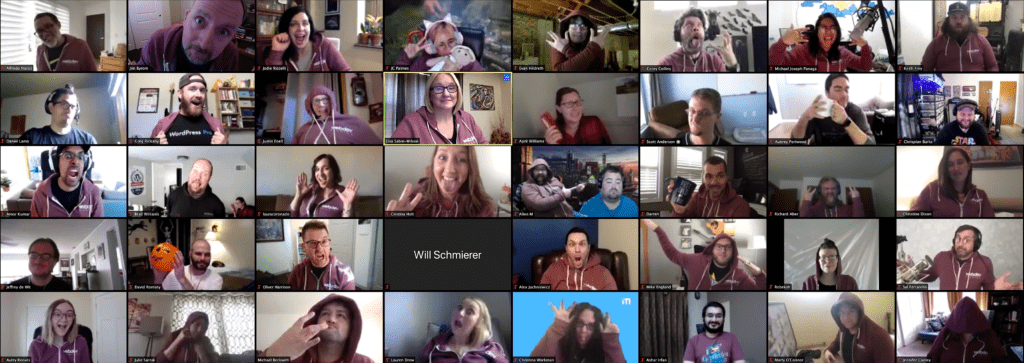
WebDevStudios (WDS) entered the virtual company retreat world due to COVID-19, as many other companies have done this year. Since we are a remote-first company, we are used to doing all things virtual but normally look forward to the real-life connections we make together for a full week during our annual retreat known as WDS Camp.
This would have been my first WDS Camp and the first time meeting any of my coworkers in real life. It was a huge disappointment that we weren’t able to have our company retreat in person, since we had already booked the location and it was amazing. Hearing all the wonderful stories of retreats past, I knew it would be difficult to convey the same experience virtually. Luckily, I had a planning master, my manager April Williams, to help.
In July, we sent out a Google Form to gauge the team’s interest around the idea of holding a virtual camp. Out of all the respondents, 92.6% said they liked the idea. We asked a few open-ended questions like, “What do you hope to get out of the experience,” and, “What would you like to learn more about?” Since the interest was there, we dove into the planning process.
Company Retreat Planning
We knew we couldn’t offer the same company retreat schedule as if we were in person. The first challenges were logistical—how many days, when do we do it, how do we break down the tracks, what Zoom links do we use?
The leadership team agreed that a two-day company retreat would be best. We planned on closing our virtual offices for those days so our focus could be fully on learning. We settled on the first weekend of October (out of 43 people in the company only two missed WDS Camp). Once we had the days locked down, the planning could begin!
I got to work on all the fun stuff—swag and group activities. We wanted the swag to be easy, so we decided to go with SwagUp. They produce, pack, and mail the boxes directly to employees. They were incredible. April, Jodie Riccelli, Director of Business Development, and I picked the items: a hoodie, face mask, hand sanitizer, notebook, and socks. (Pro-tip: people LOVE branded socks. I do not know why but they are so cool.)
Virtual trivia was the activity of choice. We went with Geeks Who Drink. I’ve been to trivia hosted by them before, so I knew it would be great. It was. If you are in the market for an engaging, entertaining company experience, call them!
Format and Topics
The next item we needed to tackle was the schedule for our virtual company retreat. The days started at 8:30 a.m. EDT and went till about 4:30-5:00 p.m. EDT with lots of breaks sprinkled in. People had the choice of starting the day with yoga led by our very own certified teacher, April, or joining WDS-Growth, an internal group we have for promoting growth culture.
The leadership team asked people within their departments to present different material that would be beneficial. There were two different types of sessions: presentation and interactive/brainstorming across four different tracks. We really wanted to make this an inclusive event where team members were contributing to the sessions, not just attending.
All the presentation sessions were recorded, so those who weren’t able to view them live could still watch. Topics spanned from positive customer experience to scrum methodologies, to Gutenberg-first initiative, to making the most of your performance review, and many more. There were ask-me-anything sessions with the department directors, human resources, and the owners (Brad Williams and Lisa Sabin-Wilson). Brad and Lisa also held a “State of WDS” presentation to give us the good, the bad, and the ugly of the past year (our “goods” far outweighed the others).
Takeaways
We came back from WDS Camp reinvigorated, full of fresh ideas, and ready to tackle new initiatives. Even though it wasn’t the fun-filled company retreat week of getting to know each other on a different level (no OJ chugging competitions this year), the team really felt like they gained a lot. From learning about new technologies being used on projects to future company plans to creative marketing ideas, we covered most of the topics people expressed interest in on that Google Form from July.
Despite being on Zoom calls most of the day, it didn’t feel like a drain. All in all, I would rate our first (but hopefully last) WDS Virtual Camp a success!
The digital landscape is continually changing, and the amount of new lingo thrown around can be as daunting as the first day at a new job. As new website trends and technologies emerge, it’s a challenge to keep on top of what’s worth the investment versus some passing trend trend that fades away and ends up being a waste of time.
Interactivity is a major player in the field with technologies like artificial intelligence (AI), voice commerce, and augmented reality (AR). These new features, though they may sound a little scary, are actually helping to reshape the way we look at, use, and develop websites.
Artificial Intelligence
AI allows smart machines to learn from experience and perform human-like tasks, such as production and recycling. Websites incorporate AI in various ways, including chatbots and algorithms, to help create a more personalized user experience. AI is a hot website trend, and chances are you’ve interacted with an AI bot in some fashion, whether it’s getting support on your favorite site, ordering goods online, or even watching your favorite streaming service.
By the year2025, the global artificial intelligence market is expected to reach$60billion.Comparatively, in the year2016, that same market was$1.4 billion.(Source: Accenture)
Chatbots
If you’ve ever interacted with the chat feature on a website, chances are you’ve dealt with a chatbot. These almost human, but not quite human, chatterboxes can feel straight out of the digital Uncanny Valley catalog. Chatbots have become increasingly popular as the underlying technologies, like language processing, have continued to evolve. Today’s bots are more informative, responsive, and more useful. Love them or hate them, this is a website trend that is staying awhile.
User Experience
In times like these, online shopping has become an integral part of our daily lives, from groceries to clothing and household necessities. This $600 billion industry continues to grow year over year, and it’s only going to increase as AI becomes more affordable for smaller companies and organization. Business owners use AI on their websites or eCommerce stores to analyze how users interact and research. Customized filters and recommendations based on a user’s preferences and image enhance the user experience, increase sales, and decrease returns.
Recommendations
Have you ever noticed the recommendations that apps like Netflix or websites like Amazon suggest whenever you use them? It’s that awkward feeling when Netflix somehow just knows what you’re into watching even when you don’t? These recommendations are powered by AI, continually adjusting algorithms to better serve the consumer through implicit data (user behavior) and explicit data (user activity). Through a system called a “recommendation engine,” companies can build associations between users, items, and content to serve up suggestions on products to the user. This website trend is especially beneficial for companies who depend on upselling to boost profits.
Voice Commerce
It feels like you can’t toss a rock these days, not that we’re throwing rocks all willy nilly, without hitting a smart speaker or someone talking about how great having smart speakers is. These mini geniuses are all the rage, powered by AI and integrating themselves into our lives and homes. Without the use of a browser, screen, or any hardware other than your phone or assistant, these devices allow you to conversationally interact with a company’s brand and make online purchases through a series of voice commands. Which brings me to the next website trend to consider: voice commerce.
What’s all the fuss?
Roughly 60 million people in the U.S., or 24% of the population, own a smart speaker, such as Google Assistant or Amazon Alexa, which is up from 7% in 2017, according to the Smart Audio Report survey conducted by NPR and Edison Research earlier this year.
Over 1.5 billion devices are used as voice assistants, with that number expected to increase to 8 billion by 2023. (Source: Juniper Research.)
As online sales continue to increase, brands are struggling to build a voice commerce presence, as Amazon is leading the race and shifting power to the users. eCommerce consumers are looking for unique experiences that come from a well-designed system that leaves them feeling valued. This helps build rapport between consumers and brands.
What does this mean for retailers?
As technology continues to advance, brands who take advantage of this website trend will be able to:
Find a new stream of revenue – Voice commerce could be another channel to sales and new leads.
Improve search – Creating voice-first search options will provide an optimized user experience.
Invent new ways to engage – As voice assistants continue to rise in popularity, we could see the emergence of conversational commerce where brands can more actively engage with users throughout the sales process.
Augmented Reality
Gotta catch ’em all! Pokemon Go took the world by storm in 2016, and since then, we’ve seen AR technology rapidly spreading across the digital world through videos, mobile apps, and even eCommerce websites in innovative ways. AR provides a captivating, interactive experience where real-world environments are enhanced with graphics and overlays that bring imagination to life literally right before your eyes.
Augmented Reality in the Wild
Here’s a few examples of where you can see AR in action:
IKEA – This beloved furniture and interior decor brand uses augmented reality to place their products into the user’s space, like a couch or a vase.
Football Games – Broadcasters rely on augmented reality to show viewers the visual trajectories of a ball or player or lines on the field to enhance discussions on strategies and plays.
Navigation Apps – Enhanced apps can lay the route on top of the street view making navigation a more powerful experience.
The future of these technologies is looking so bright you’re going want to wear shades. You can watch them grow by keeping an eye on big brands like Amazon, Google, and Apple. When you’re ready to implement these technologies on your website, contact us!
Vector images used in this article were sourced from Vecteezy.
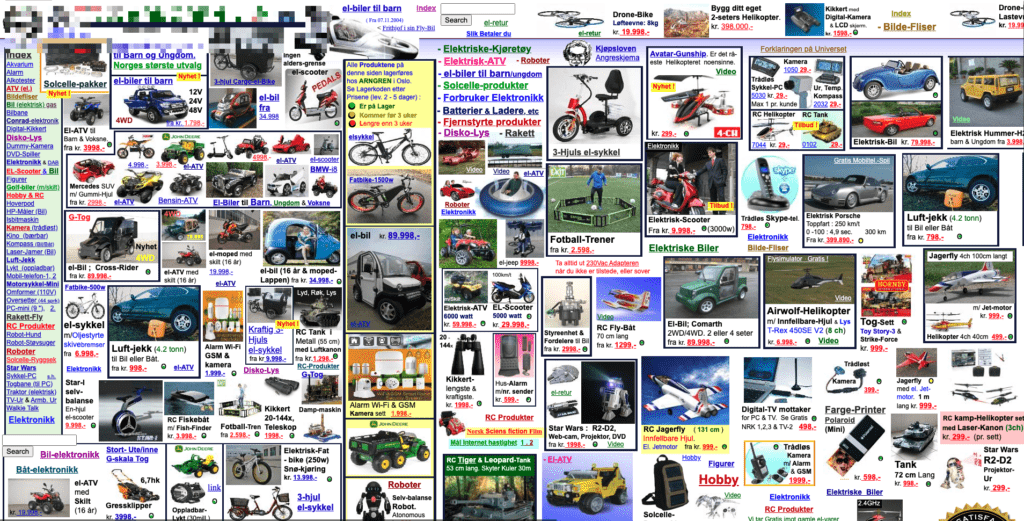
If your website looks like the one above you either have really, really, really particular brand following… or it might be time for a website redesign.
There is never a perfect checklist or milestone your website needs to meet in order to justify a redesign. It varies from person to person and even site to site. In this blog post, I’ll cover some of the most common reasons that I’ve experienced first-hand from over ten years in the web design space.
While your website may not check all the issues, I hope to make it broad enough to equip you with enough evidence to convince your stakeholders (even if it’s yourself) that you are due for a makeover.
For content breakdown, I’ve split reasons for change into the following buckets:
Obviously scary warning signs
Increase in traffic
Being compliant with laws
Preface: A redesign doesn’t have to be scary.
To start off it’s okay to feel overwhelmed or perhaps scared to redo your website. This can be due to limits on your time, fear from past site rebuilds that went south, or perhaps you simply fear losing your content. The following list of concerns isn’t exhaustive but it serves to say that we understand why you may be hesitant.
Throughout the rest of the article, I help to demystify some of your concerns and offer some, hopefully, compelling examples that may convince you that the time for change is now.
Limits of Your Time
This is the easy part. Simply by partnering up with a website company that already has established relationships in place, you can count on them to handle the strategy planning and take it from there. If you don’t already have a WordPress agency in mind, I highly recommend us at WebDevStudios. If your business is on the small to medium side, a website redesign from Maintainn, which is owned by WebDevStudios, will be a perfect fit.
Being burnt in the past
In my ten-plus years of web development experience, I’ve heard countless horror stories of projects going wrong. Though you can’t control everything, joining forces with the right design and development partner with a proven track record should help to put to ease your concerns. Don’t allow the past to deter you from creating a successful future.
Fear of losing your content
Unlike other platforms in the past, WordPress is what is known as a content management system, not just simply a website builder. The way your website looks and feels is handled through themes on your website. This is the part you are redesigning, not your content. Think about it like this: if your website content is an engine in your car, you can swap the body and still keep the same engine. All your pictures, posts, products, and more will migrate just fine. (Whew!)
Bucket One: Scarily Obvious Signs
It’s difficult to make content updates.
If you can’t update your website, what good is it for? As a content management system, WordPress should make editing your website be as easy as riding a bike. Something to consider is that if you have an older WordPress installation, major advancements have been made towards how you can design and manage your website, be it Gutenberg for custom websites or Beaver Builder for smaller businesses. A newly redesigned website will provide you with the latest tools to allow you to feel empowered to make content updates when YOU want.
It just doesn’t express who you and your company are anymore.
Let’s face it: many of the fashion trends from the early 1990s don’t look so great in the 2020s. Saying your website doesn’t express who you are today doesn’t admit that your old website was bad when it came out; it’s just time to update your digital wardrobe.
Other Scarily Obvious Reasons
You have a new product line.
You have a new company direction.
It looks like an amateur made it.
It takes a long time to load.
It’s difficult to use.
The words “flash is required” are anywhere on your website.
It lacks a friendly mobile experience.
It’s lacking key features, like the presence of social media integrations.
Bucket Two: Increase Traffic and Conversion
If your website was on Tinder, would visitors be swiping left?
– Laura Coronado, WebDevStudios Marketing Strategist
More traffic = More Customers = More Sales = More $$$
The golden rule of a website’s value, from a business perspective (even if you are a nonprofit), is more traffic means more users served. There are a countless number of ways to drive more traffic to your website, be it SEO, ad campaigns, guerrilla warfare, or a magic ritual. One thing for certain, an outdated and poorly designed website will impact how much money you make at the end of the day.
How Design Affects Traffic
Did you know that your site’s design can make an impact on your SEO and thus affect your traffic? Since 2015, mobile-friendliness has been among the many factors that Google uses when it ranks websites in search results. Another design element that affects your search ranking is your site’s load speed, while this can be influenced by your site’s hosting. Also, a poorly designed website that uses unnecessarily large graphics can cause people to abandon your website in as little as two seconds! To read more on this topic, check out “5 Ways SEO & Web Design Go Together” by Search Engine Journal.
How Design Affects Conversion
The internet has matured past the point of anything truly being first to market for any standard consumer goods or services. With that, your average customer is savvy and aware that if they don’t like what you are offering, they’ll just go somewhere else. To keep visitors browsing and ultimately converting them to paying customers, your design needs to create a pleasant user experience by making content easy to find and visually pleasing. It’s not just the product or service your site is offering. It equally matters as much how you are offering it.
Bucket Three: The Law Forces Me to
If you aren’t convinced by now that you may need a new website. perhaps civil law may convince you. For the better part of 35-plus years, laws dictating how websites are to be designed and behave were mostly absent at any large scale. This is no longer where we are today. You know you need a website redesign when compliance with the law dictates it.
Accessibility
I recently wrote a blog post titled, “5 Ways to Make Your WordPress Site More Accessible.” In it, I covered not only tips to better deliver your content but also legal and monetary considerations you should be aware of if you are ignoring accessibility in your website’s design.
Since 2017, accessibility lawsuits related to website accessibility, which is directly impacted by your website’s design, have doubled every year with as many as 3200-plus in 2019 alone. I highly recommend you give my article a read, but in summary, by not coming into compliance with good site design, you could leave yourself liable for punitive damages.
Cookie Compliance
Even if you have a nice-looking website that meets your needs and is accessible to others, that still may not be enough. Starting October 1, 2020, any website that has European Union (EU) consumers needs to conform to enhanced cookie compliance laws. It’s quite common for third-party themes to include third-party tracking cookies that are not compliant with EU regulations. Any redesign should take this into consideration what tools and resources are used in your website’s build.
The End
Whether the need for a website redesign is obvious, stems from a desire to boost traffic and sales, or compelled by legal reasons, I hope you found this post informative. Just remember that with the right partner, a redesign doesn’t have to be so scary! If you’re ready to get started, reach out to us at WebDevStudios, or for smaller businesses, contact Maintainn.

 The whole point of an influencer marketing campaign is to increase sales. Is your website prepared for an onslaught of web traffic? Influencers have their own brand reputation to think about, too. The last thing they want is to send their followers to a website that crashes. That would be embarrassing for them.
 People follow influencers because they feel connected to that person; they feel engaged. These same people need to feel connected to your brand and engaged with your website, too. This is essential if you want to keep them around. Give them a website experience that knocks their socks off!
 As is the case with a website that crashes, a website that is easy to hack and allows for personal information to be stolen would be mortifying for any influencer. Now that you have garnered the attention of your influencer’s followers and converted them into customers, prove that your website is a reliable, secure place of business by providing a rock-solid, safe payment gateway.



 WebDevStudios had developed some plugins during the early years. Most notable is
  WebDevStudios realized that they wanted to take an active role in not only helping clients release awesome websites but also maintain longer-term relationships with them well after project completion. The idea of, “Hello, get the work done, goodbye!” was not enough. Why not move a client internally to a different part of WDS to keep that relationship going?
 Pluginize
 The last proverbial hoodie I wear at WebDevStudios is the role I play with our ongoing relationship with Constant Contact. You can read more about at
  If you’re familiar with WordPress, you know there is a
  Many people assume that the highest quality image they can upload to a site, the better off they are. While we certainly do want high quality imagery, you can get to a point where the images are too large, negatively impacting on your WordPress site. Having too many images on your site with large file sizes can
  We highly recommend embedding all videos on your site. Let a video hosting site, such as YouTube, Vimeo, or Wistia do the heavy lifting. These media solutions are the experts in hosting videos, converting them to the correct files for browsers, and it frees up space on your server for more important things. Embedding a video on your site is easy. Simply paste the URL into the WordPress Editor.
 Every single day something new is happening or information is changing. There is a surge of new content that is being added to the internet every minute, every hour. Your website content is in competition.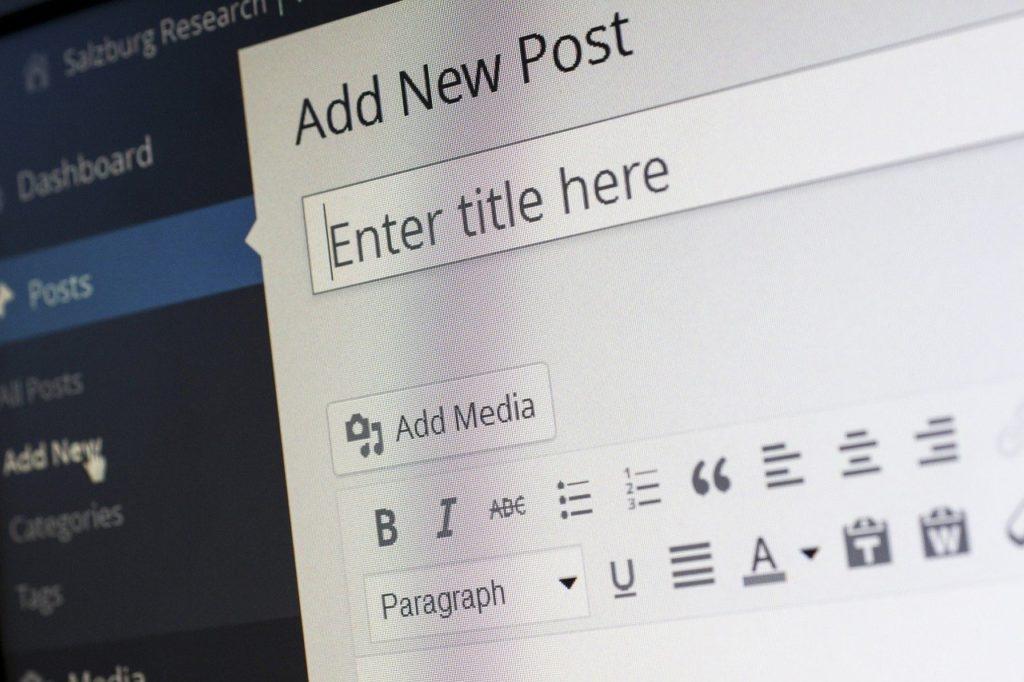






 If you aren’t convinced by now that you may need a new website. perhaps civil law may convince you. For the better part of 35-plus years, laws dictating how websites are to be designed and behave were mostly absent at any large scale. This is no longer where we are today. You know you need a website redesign when compliance with the law dictates it.