Showing posts with label Email Marketing Tips. Show all posts

Friday, 24 July 2020

Email Authentication: A Powerful Way to Help Get your Emails into the Inbox with DKIM

Image of someone sending an email

Getting into the inbox is the foundation of successful email marketing. You can spend hours crafting the perfect message, but if it goes to the spam folder, your subscriber won’t see it. 

Mailbox providers (Gmail, Yahoo, and others) are always looking for ways to make the email they place in their customers’ inboxes more relevant. With the ever-increasing amount of emails being sent each day, the filters and systems they have in place are more advanced than ever, and are evolving continuously.

To get into the inbox, you first need to follow fundamental email deliverability best practices:

  • Only send email to people who have asked to receive it.
  • Make your content relevant, well-designed, and engaging.
  • Don’t send people content they are not expecting.
  • Don’t send more email to a person than they can easily read, and don’t send so little that they forget about you.

If you have these best practices covered, then read on to find out how to supercharge your emails’ performance with DKIM.

Making your emails stand out

Imagine a large, fast-flowing river. It’s autumn, so there are leaves floating down the river. I ask you to jump into the river and get me a leaf with my name written on it that fell from a specific tree. Now imagine that there are billions of leaves in the river.

This is like what mailbox providers do every day to place emails into their customers’ inboxes.

Given this, when mailbox providers receive a message they attempt to identify who sent it, which allows them to treat emails from them as a group. Note, though, that doesn’t guarantee that every email will have the exact same outcome.

This identification goes beyond just looking at the sending email address; behind the scenes there are email authentication standards in use that senders can take advantage of to ensure that their emails are grouped correctly and that they stand out from the crowd.

Giving your emails authentication superpowers

Want to give your emails that extra effort to improve your email deliverability? Then setting up your DKIM is a must email deliverability best practice.

So what is DKIM?

DKIM is an email authentication technology that helps stop spoofed emails. It also connects domains in the email to the email message in a strong way that mailbox providers pay attention to. In other words, it makes an email “leaf” stand out in that proverbial large river.

Illustration of the DKIM authentication process overview

You benefit from DKIM when you use it to connect your sending domain to the emails you send. This is what our Custom DKIM feature does, which gives you:

  • A strong connection to your brand
  • A positive signal to mailbox providers
  • Allows you to to reap the full benefit of all of the hard work you put into making your emails perfect

Custom DKIM also gives you access to cool AMP4Email features which you can use to make your email content dynamic and more engaging!

How to set up Custom DKIM with AWeber

Video on how to set up Custom DKIM
  1. Add your domain to your AWeber account and verify ownership of your sending email address
  2. Login to your DNS provider's website
  3. Add three DKIM CNAME records
  4. Add or update your SPF record
  5. Verify your DNS records in your AWeber account

AWeber's Knowledge Base has step by step resources to help you get Custom DKIM set up, and our Customer Solutions team is available 24 hours a day, 7 days a week to answer any questions you may have and help you through the process.

Improving your email deliverability is not a one-time endeavor, but an ongoing process incorporating email authentication, best practices, and continuous improvement of content, targeting, and segmenting.

Sign up for AWeber Free and get Custom DKIM

Want to improve your chances of appearing in your customers' inboxes?

Then sign up for AWeber Free today!

Whether you’re starting a new business, need to grow your audience, or you run an established e-commerce business, AWeber provides a powerfully-simple email marketing solution for any small business.

AWeber’s email marketing platform includes unlimited landing pages with every plan, unlimited emails, email automation, sign up forms, and email analytics.

Start for free and quickly grow your business with powerfully-simple email marketing from AWeber.

The post Email Authentication: A Powerful Way to Help Get your Emails into the Inbox with DKIM appeared first on Email Marketing Tips.


from Email Marketing Tips https://ift.tt/3hvFtQ3

Thursday, 23 July 2020
Get Higher Open Rates with 22 of the Best Email Subject Lines

Get Higher Open Rates with 22 of the best email subject lines

If you’ve ever sat down to write an email, you’ve probably asked yourself: “what if no one opens my email?” 

Not a fun feeling, right? Especially if you’re worried that the success of your email rides entirely on your subject line. It’s basically the thing that will make subscribers want to open your message. 

Thankfully, there are formulas to help make writing the best email subject lines as easy as pie. 

These 22 subject line formulas will help you write catchy subject lines that make subscribers eager to open your emails in no time.

Descriptive subject line formulas

The best email subject lines give your subscribers instant value. How? Tell your subscribers exactly what they can expect from your email using just your subject line. 

[Number] ways/strategies to [desired end goal]

Example: 10 ways to get more email subscribers

[Desired end goal] without ever [negative feeling]

Example: Lose weight without ever feeling hungry

How to [desired end goal] even if [barrier to accomplish desired end goal]

Example: How to design a website even if you don’t have coding skills

[Action verb] with/by [lead magnet]

Example: Kickstart your business with our Ultimate Guide to Email Marketing

[Desired end goal] with/by only [plan/strategy to reach desired outcome]

Example: Get a job by only networking on LinkedIn

Want more [desirable outcome] and less [undesirable outcome]?

Example: Want more time and less stress?

Short subject line formulas

Want to stand out in the inbox? Then a shorter subject line may be the best strategy.

On average, there are about 44 characters in an email subject line. Plus, mobile devices tend to cut subject lines off around 33-43 characters. If you want to make sure your subject line is fully visible — no matter how or when your subscriber receives your message — the best email subject lines may be short. 

Get rid of [pain point] forever

Example: Get rid of sleepless nights forever.

[Action/plan/method]. Here’s why/how

Example: A/B test your videos. Here’s how

New [content]

Example 1: New guide! 

Example 2: New arrival: check it out

[Number] recommended [product] for you

Example: 7 Recommended homes for you

Personalized subject line formulas

Plus, don’t overlook the power of personalization. Personalized email subject lines have been shown to boost open rates by 50%. That’s because email subscribers want messages that feel personal and tailored to them. 

Ready for [event/season/life event], [first name]?

Example: Ready for Summer, Kelly? 

[First name], your free [product] is waiting for you

Example: Kelly, your free gift is waiting for you

Hey, [first name], we have an offer for you…

Hey, Kelly, we have an offer just for you...

Subject line examples with emojis

Only 6.9% of emails contain emojis. That means an emoji could help your message stand out in a crowded inbox — as long as it’s relevant and used with a purpose. 

In fact, one study found that — when used correctly — email messages that contain emojis in subject lines are opened 66% more than those without. 

Sounds promising, right? As with anything in marketing, you’ll want to test emojis in your subject lines to see if they resonate with your audience. You might be surprised. 

Here are some subject line examples that use emojis effectively.

Freshly using a bell emoji
Veestro using an explanation point emoji in its subject line
LFT Clothing using a rainbow emoji
Ikea using wave emojis in its subject line
Starbucks using a smiley emoji
Insomnia Cookies using cookie emojis in its subject line

Don't forget about preheaders

Email preheaders are a powerful tool to increase email open rates. Not only do well-written preheaders give your subscribers more context for the email message, but creative preheaders can help give your email more personality. 

Subject line: [Ask a question]

Preheader: Here’s how

Example: 

Subject line: Want to make more sales without spending hours prospecting?

Preheader: Here’s how

Subject line: [Product] is almost sold out

Preheader: Get it before it’s gone

Example: 

Subject line: Protein cupcakes are almost sold out!

Preheader: Get ‘em before they’re gone. 

Subject line: [Case study] did [desired end goal]

Preheader: And you can, too!

Example: 

Subject line: This entrepreneur launched a business in 1 week

Preheader: And you can, too!

E-Commerce subject line inspiration

Drive more sales by trying out email subject lines that educate your audience about your product and promotions. 

It’s/They’re here! [New product], just for you

Example headline: It’s here! New book releases, just for you

Buy 1 [product], get 1 free

Example: Buy 1 skirt, get 1 free

Last chance to save [discount] on [product]

Example: Last chance to save 30% off flights

Your [discount/offer] ends [time period]

Example: Your 25% discount ends at midnight

The one word subject line strategy

It’s hard to call a one word subject line a formula. But, yes, you can send subject lines with just one word. Nothing incites curiosity quite like a vague, but relevant, subject line. 

Let’s look at a one word subject line example:

One word email subject line example

Thanks to genius use of pre-header text, we know there’s a big clearance sale. But this simple, one word subject line makes the reader interested. Don’t you want to see what all the fuss is about? 

This strategy is useful if your goal is to drive traffic back to your website, too. In fact, one entrepreneur increased his website traffic by 83% using a one word email subject line that hinted at the email contents. 

Now that’s impressive. 

Writing effective subject lines is an art and a science. 

These email subject line formulas are meant to inspire you and help you think about your approach to writing. But don’t be afraid to experiment and try out some creative writing of your own. 

Our best advice? Get creative! Try out different subject lines and test them to see what works for your audience. 

And if you need more guidance, remember these 7 rules for writing the world’s best subject lines. 

Ready to boost your open rates?

AWeber has all the tools you need to succeed with email marketing. Plus, you can get started for FREE.

AWeber Free delivers powerfully-simple, industry-leading features at no cost to you. Start growing your business with email marketing for free today.

The post Get Higher Open Rates with 22 of the Best Email Subject Lines appeared first on Email Marketing Tips.


from Email Marketing Tips https://ift.tt/2WPhFyS

Wednesday, 22 July 2020

6 Steps to Grow your Audience with Webinars and Email Marketing

Entrepreneur Laurie Conrod, Founder of Freedom Digital Marketing

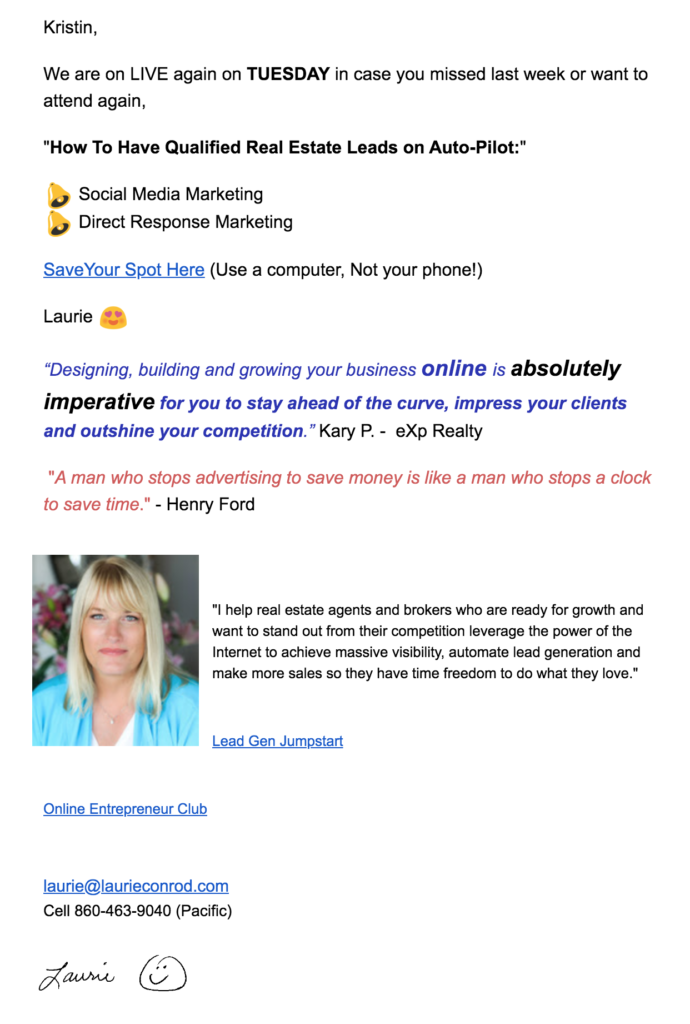
Freedom Digital Marketing founder Laurie Conrod helps real estate agents and other entrepreneurs grow their businesses.  She teaches entrepreneurs how to automate their lead generation using direct response marketing and social media marketing. 

She knew there had to be a better way to grow her small business efficiently and her client base than the time-consuming task of traditional prospecting. "I didn't want to prospect people anymore for lead generation. I wanted to learn how to tap into the millions of people that are on the Internet," said Conrod.

She needed a way to entice potential clients to attend her free training and then capture these attendees to offer her digital marketing services. This strategy would enable Conrod to demonstrate her knowledge and skills to prospects in a low-risk format. However, she lacked a reliable platform to manage her growing client database and power her online training.

Until she came across AWeber and GoToWebinar.

Here are the 6 steps Conrod followed to grow her audience without prospecting. 

Step 1: Create an engaging lead magnet

Conrod uses webinars as her lead magnet to attract prospects. "The goal as an entrepreneur is to build 'know, like, and trust' with people as quickly as possible in order to make sales. Letting them see me on a webinar, how I present myself and my expertise is one of the fastest ways for people to get to know, like, and trust me. GoToWebinar has been such a powerful platform for me to use," says Conrod.

She usually offers free training on topics such as online lead generation, social media marketing, and email marketing. In Conrod's training, she teaches realtors the basics of running Facebook campaigns and social media marketing.  

AWeber provides a direct integration with GoToWebinar, which means you can instantly add GoToWebinar registrants directly to your AWeber list.

https://www.youtube.com/watch?v=sH_rhN8fX10
Click the video box to start the video. Step by step instructions listed below.

Step by Step on how to integrate GoToWebinar with AWeber

  1. In your account, click the Integrations link in the upper right corner of the page.
  2. Find the GoToWebinar integration and click on it. 
  3. On the next page, you will want to click the "Connect" button.
  4. You'll then be asked to log into your GoToWebinar account. After doing so, click the "Allow" button to grant access for the integration.
  5. Now that the app is connected, it's time to create your GoToWebinar automations in AWeber. To do so, click the "Create an Automation" button.
  6. Using the drop down menu provided, select the webinar you would like to connect with AWeber. Once selected, click the "Next" button.
  7. Next, select the AWeber list you would like your webinar registrants to be added to. Then, click the "Submit" button.
  8. At this point, your webinar is connected to the previously selected AWeber list. Registrants will automatically be added to your AWeber list.

Step 2: Promote the lead magnet to drive sign ups

Conrod promotes her lead magnet through paid ads on Facebook and Instagram. The paid advertising drives prospects to a landing page to collect their contact information.

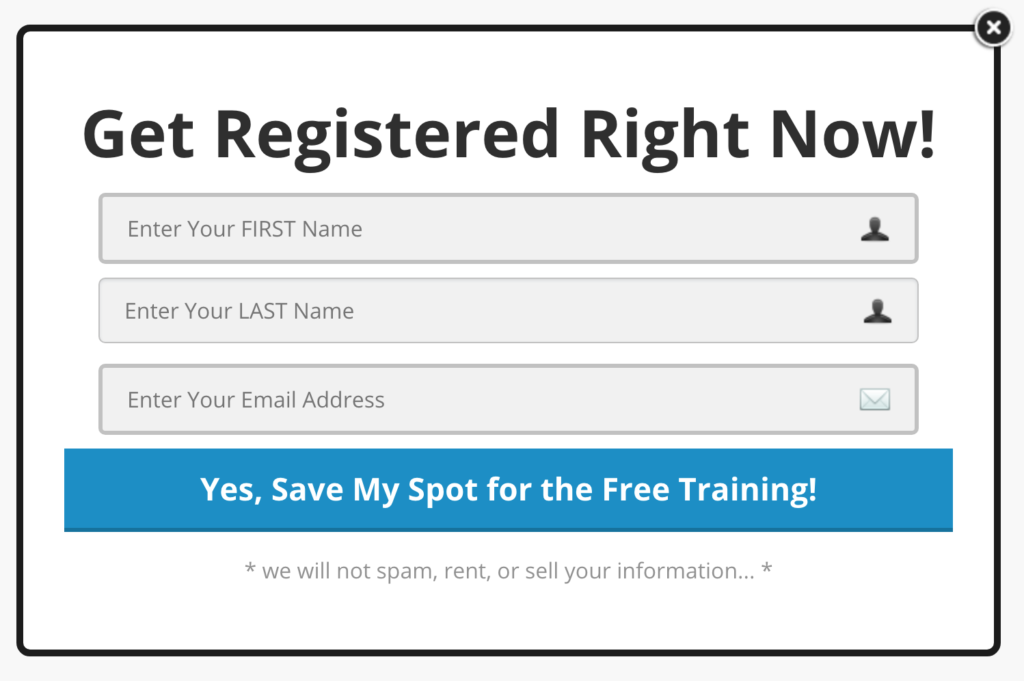
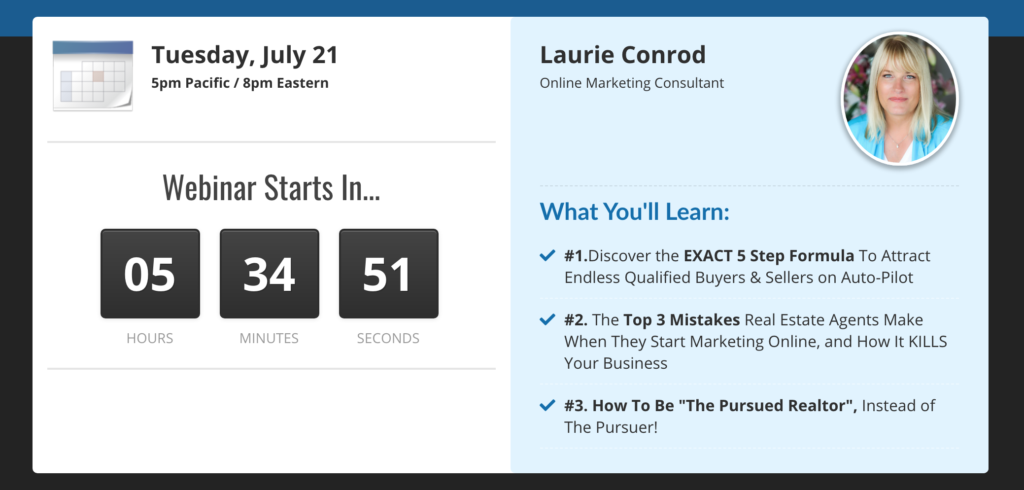
Freedom Digital Marketing landing page for a free webinar.

Conrod includes three additional essential elements on her landing page.

#1. A sign up form to collect email addresses

Freedom Digital Marketing sign up form.

#2.  Information about what she will cover in the webinar

Freedom Digital Marketing list on what will be covered in an upcoming webinar.

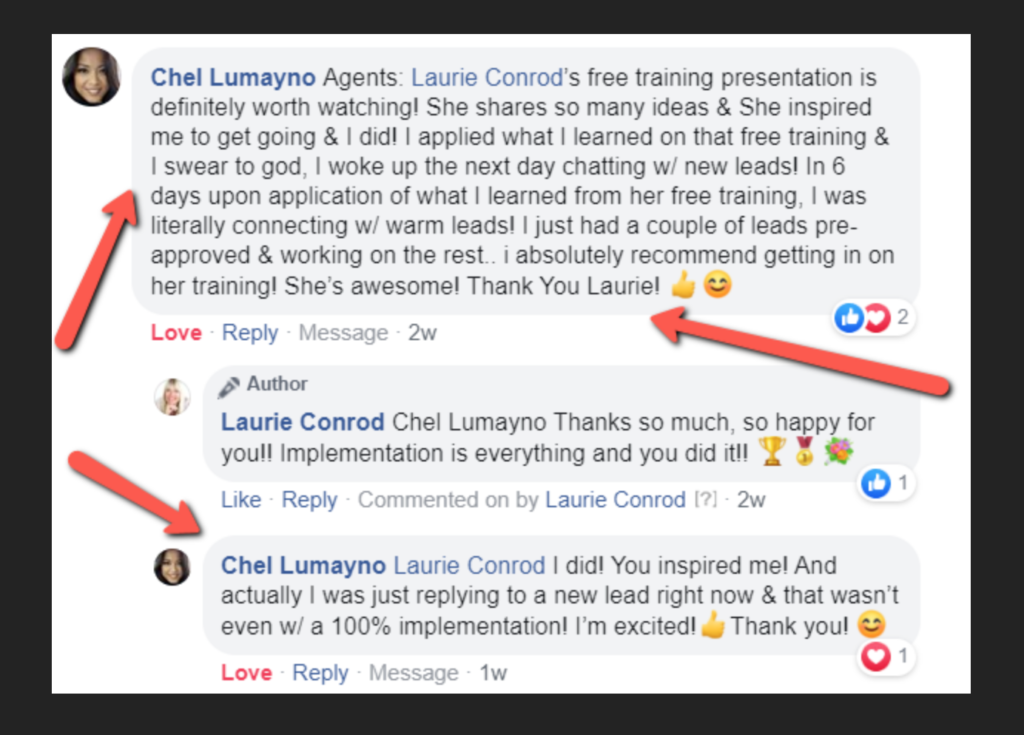
#3. Social proof to demonstrate how past attendees found value

Freedom Digital Marketing social proof of the value of the webinar with attendees testimonials.

Step 3: Grow an email list

When these prospects register for the webinar, they are immediately added to an email list she has set up on AWeber's email marketing platform.  

"AWeber helps me build an email list. It is really the most crucial part of building a business. And that's true for any business: brick and mortar, retail, restaurants, or carpet cleaning. If you're building an email list, you can always generate new revenue from your client base and potential clients. If you're not building your list, you're leaving money on the table," says Conrod. 

Pro Tip:  5  tactics for promoting your Webinar and growing your email audience.

Step 4: Segment the List

Conrod promotes webinars to her customers and prospects. 

To ensure the right messages are sent to the intended audience, Conrod segments the list to send appropriate email messages to her subscribers. 

"My mission is to help people automate their lead generation so that their potential clients are coming to them. Entrepreneurs need to learn that 'the money is in their lists.' AWeber is instrumental because you build your email list and then automate your follow-up with as many potential clients as possible. I help entrepreneurs learn how to do that," said Conrod.

Need segmentation inspiration? There are 16 ways to segment subscribers in AWeber. 

Step 5: Automate email campaigns

Conrod emails her new clients almost daily with an automated email sequence. She has found that including links to watch videos is a really good practice because it allows people to know, like, and trust her much faster than just reading emails. 

An example of Freedom Digital Marketing automated email sequence.

Conrod likes to give a lot of value and avoid salesy language in her email and social media. "You can't constantly be pitching people and expect them to continue to open your emails because they'll get sick of it. We have to let people see our expertise and the value that we give so that they want to do business with us," says Conrod.

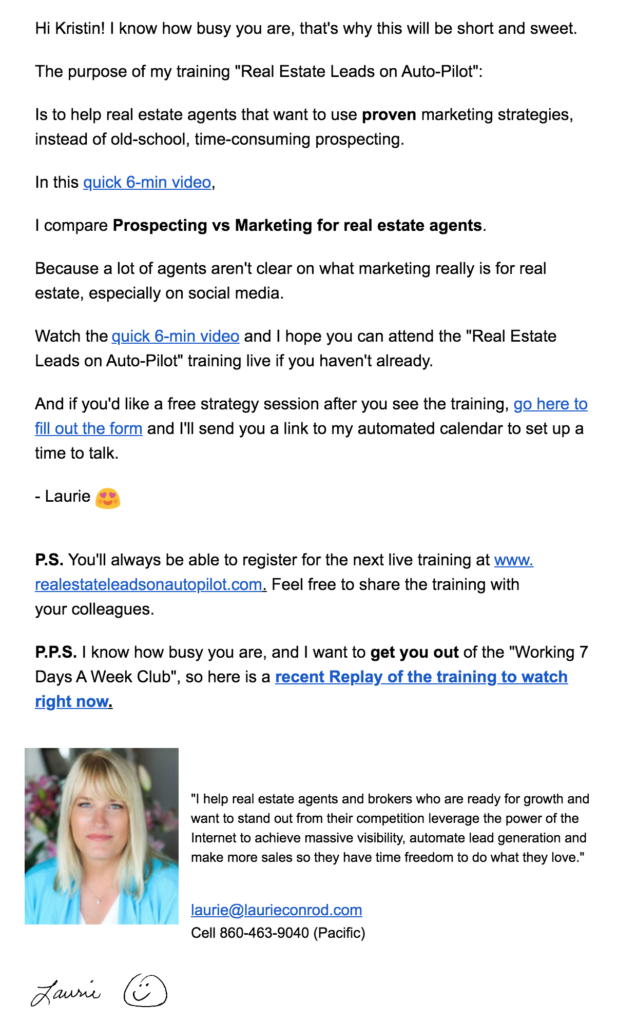
After the training, she continues to engage with her list by sharing the video recording through AWeber.

An example of an email sharing a link to watch a Freedom Digital Marketing video.

Step 6: Create a system for success

Conrod found a winning formula: a combination of AWeber and GoToWebinar. GoToWebinar became the driver of her lead generation strategy. AWeber handled the backend of her process and allowed her to connect with her audience to create remarkable experiences.

"You don't have to be a PhD to have a skill that you can sell online, but you do need a reliable system to do it well. Having a system is essential to build a six-figure and beyond business," says Conrod.

Ready to grow your business?

Whether you’re starting a new business, need to grow your audience, or you run an established e-commerce business, AWeber provides a powerfully-simple email marketing solution for any small business.

AWeber’s email marketing platform includes unlimited landing pages with every plan, unlimited emails, email automation, sign up forms, and email analytics.

Start for free and quickly grow your business with powerfully-simple email marketing from AWeber.

The post 6 Steps to Grow your Audience with Webinars and Email Marketing appeared first on Email Marketing Tips.


from Email Marketing Tips https://ift.tt/32KfCzO

Tuesday, 21 July 2020

Build Landing Pages That Stand Out with New Templates and Easy to Use Features

Build landing pages that stand out with new templates and easy to use features

We know your passion is your business (whether it’s full time, side-hustle or a passion project) and not necessarily designing landing pages. 

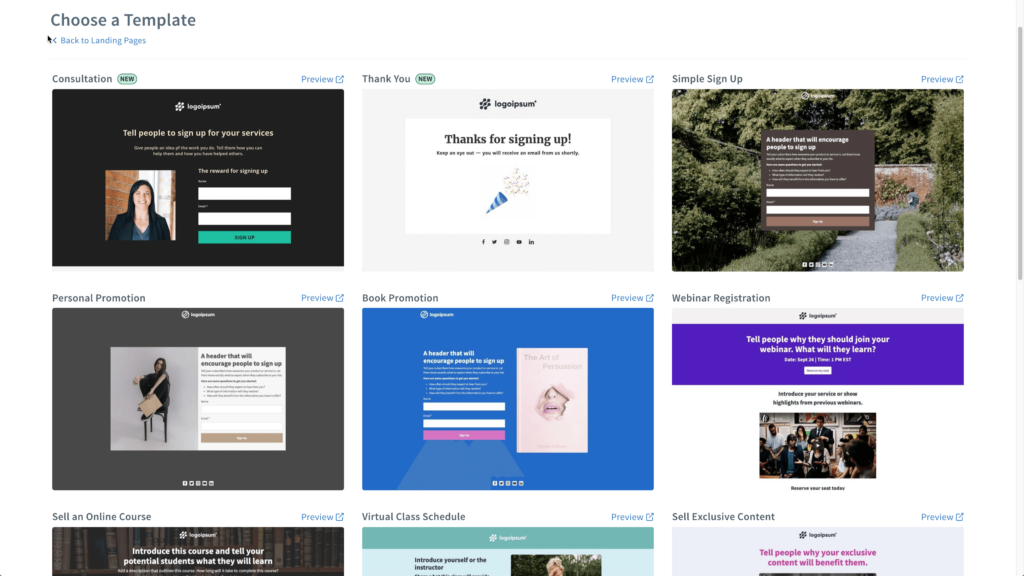
So we took care of that for you. We put together beautiful, ready-to-use landing page templates. The best part? They’re already in your account.  

Each landing page is professionally designed and chock full of content ideas to help you get started. All you need to do is add your logo and a few other content elements to customize the landing page. Creating a high-converting landing page shouldn’t be difficult, so we’re already adding new landing page templates to help you convert more subscribers.

AWeber landing page gallery

Why you need a landing page, even if you have a website

The purpose of a website is to encourage visitors to learn about you and your business by visiting different web pages. The problem is that websites can distract your visitor from the one action you want them to take: sign up for a specific service, attend an event, purchase a product, or download a piece of content. 

On the other hand, a landing page is a single web page built to drive visitors to take one specific action. It intentionally limits where visitors can navigate to limit distraction. A landing page is an awesome opportunity to provide incredible value to your visitors, turn followers into subscribers, and engage with your audience at a deeper, more meaningful level. 

A landing page can be part of your website. If you have a WordPress website, AWeber makes it super easy to add your AWeber landing page to your WordPress website. But you don't need a website to have a landing page. 

The power of the AWeber Landing Page Builder

AWeber's landing page builder is a powerful tool to grow your business without the restrictions and limits of many of the other landing page and email marketing companies.

"With AWeber's Landing Page Builder, you can have a fully functioning website out of the box without paying for anything more. We know it can get challenging, managing, and paying for multiple solutions. AWeber provides one unified place where you can manage everything," says Andrew Prawl, AWeber Product Manager.

Why invest hours or thousands of dollars into creating a multi-page website when you can launch a landing page to test an idea or a concept in minutes for free?

New landing page templates to stand out in the inbox 

Whether you are just starting a new business or want to grow your audience, the AWeber Landing Page Builder is a powerfully simple way to make a fantastic first impression on your visitors. .

You only have 8 seconds to make an impression with a landing page. AWeber's design team recently created two new landing page templates to help you accomplish two essential tasks:

  • Thank you page with animation to get the attention of your subscribers
  • Consultation service template to help that vertical grow their audience   

Thank You landing page template

A Thank You landing page gives you the opportunity to thank your audience for taking the desired action. You can also use your thank you page to provide additional information about your business, include a code for a discount on future purchases, or even provide a link to download free content.

AWeber’s new Thank You page template includes a cool interactive animation element to help our customers create a remarkable experience for their visitors. All you need to do is add your logo and customize the welcome text.

1. Update the Thank You landing page template to include your logo

2. Customize the welcome text as desired. 

Consultation landing page template

In the Consultation landing page template, AWeber does 90% of the work for you by including a few different layout options, content ideas for you to add, and even some sample text. 

"I really like that our Consultation landing page template has different layout options, including a video section and a testimonial section. It gives our users the flexibility to pick and choose what they want. So they can quickly customize their landing pages and start growing their business," says Prawl.

1. Scroll down the landing page template to determine which of the layout elements you want to keep and customize. 

2. Click on the element you want to keep and customize

Not sure what to write? Get AWeber’s ebook on How to Write Landing Pages That Convert to learn how to create amazing landing pages.

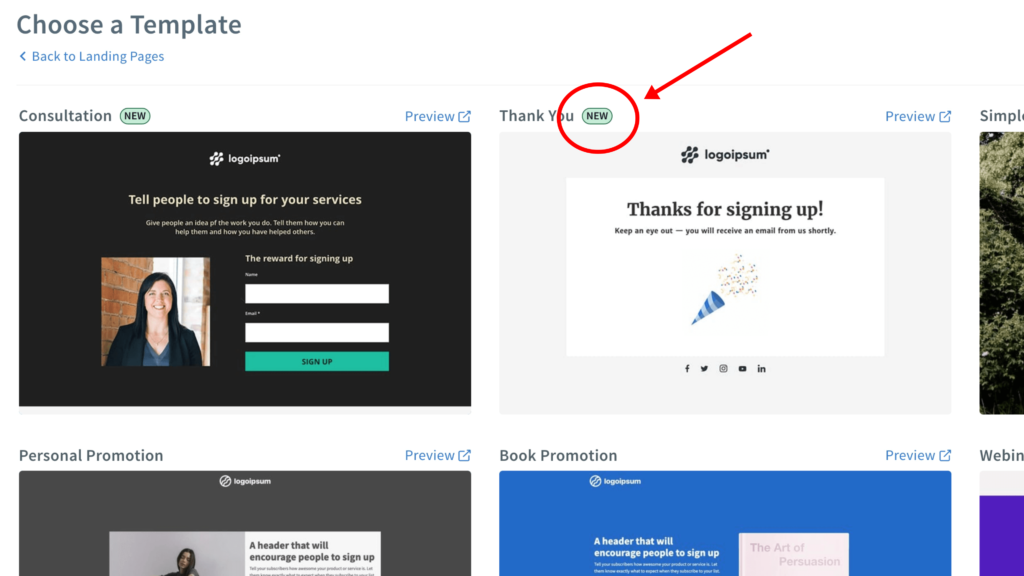
Navigate new landing page options by looking for a badge

AWeber is committed to regularly adding new landing page templates to our gallery.  To help you identify new landing page design options, you will see the "new" badge on all recent additions.

Badge for a new landing page

We are always looking for feedback on our landing pages. Please let us know what other landing page templates or features you would like to help grow your business. 

Try these exciting new features that make it easy to grow your audience.

More image alignment options

We've added more flexibility to how images are displayed in the AWeber Message Editor and Landing Page Builder.  There are now five display options for images, both text wrapping, and float (images without text wrapping).

"We added these capabilities because we wanted to give our customers the ability to customize how an image appears in our Email Message Editor and our Landing Page Builder.  Including both of these options in our Landing Page Builder and our Email Message Editor,  saves our customers the time of manipulating images so they can focus on their content and growing their business," says Prawl. 

  1. Word wrap right
  2. Word wrap left
  3. Float center 
  4. Float right
  5. Float left

Hover effects element

AWeber landing pages now support hover functionality. What is a hover effect? When your visitors move their cursor around the landing page, there is now an option to change the mouse over effect with a new color for  links and buttons when a user hovers on that element.  

To create a hover color, simply navigate to the button or link option. You will find, in addition to the ability to create a color for the element, a second option to select a hover color. This functionality works for both buttons and links.  

1. Select the button element

2. Click on the hover option and select a hover color for the button

3. Select the link element

4. Click on the hoover option and select the hover color for the link

Create your own landing page without coding of technical skills — for FREE.

AWeber's email marketing platform includes unlimited landing pages with every plan — no technical skills required! Just drag and drop images, text, buttons, videos, and forms into our professionally designed landing pages. Plus, you'll also get unlimited emails, email automation, sign up forms, and email analytics.

The post Build Landing Pages That Stand Out with New Templates and Easy to Use Features appeared first on Email Marketing Tips.


from Email Marketing Tips https://ift.tt/2CRnkgH

Wednesday, 15 July 2020

How Creating Custom Segments Can Help You Get The Right Content to The Right People

How to get the right message to the right person

Delivering the right content to the right people at the right time doesn't have to be complicated. In fact, custom segmentation is a lot easier than it sounds.

As your audience gets to know you and your content over time, you will learn what interests them by their behavior. 

Let’s say you’re a cookbook author. One subscriber may favor vegan recipes, while another may favor recipes with meat. Maybe someone consistently shows interest in a product you sell. 

If you know this about your subscriber base, then you can create custom segments and deliver information you know will delight them. 

Custom segmentation lets you break down your audience into groups of people who show interest in specific topics or products — like vegan or meat-based recipes — as well as when they take specific behavioral actions.

The more you personalize your emails, the more your audience is likely to engage with your content. 

How to use tags to segment your email list 

Tags help you organize your subscribers according to interest or behavior. Using tags is an easy way to send content just to audience members that are interested in a particular product or offering.

The video below shows you how to tag subscribers with a keyword or phrase that identifies their interest or action. 

https://ift.tt/38XU3g0

You can also set up the tags ahead of time to automatically be added to your subscribers when they take a specific action.

Tagging is a powerfully-simple way to transform your email marketing. By applying tags, you will make sure your subscribers only receive content relevant to them.

Create a custom segment to send highly-targeted messages

Creating custom segments lets you send messages to groups of subscribers with a particular tag.

Let's say you are a cookbook author about to launch a new book on vegan cooking.  You know that a vegan cookbook may not appeal to your entire list. If you create a custom segment for users who have expressed interest in vegan recipes or cookbooks, that segment will be most receptive to your message about your vegan cookbook. 

Diagram showing a custom segment for Vegan Tag and Engaged customer.

If you have another cookbook for meat lovers, that is an entirely different audience than your vegan audience. You would create a custom segment using tags for people who have actively opened and have a Meat Eater tag.

Diagram showing a custom segment for Meat Eater Tag and Engaged customer.

Once you tag your audience, it is super easy to add a personal touch in your email, thanking them for joining, donations, or purchases. The tag also can serve as a reminder of how they connected with you so you can follow up with them in the future.

https://ift.tt/38XU3g0

Save time with dynamic segments

Rather than manually setting search criteria every time you send an email to a particular audience, create a segment and use it whenever you want to reach that specific audience.

Custom segmentation can also help you improve your open rates, click-through rates, and increase sales or conversions. It can even lead to fewer spam complaints and improve your deliverability.

Why? Because subscribers love content that feels personalized to them. In fact, marketers see an average increase of 20% in sales when using personalized experiences, according to Monetate.

Take action! In the video below, learn how to easily create a segment of subscribers using tags, how to save your dynamic segments, and then send a personalized email within AWeber. 

https://www.youtube.com/watch?v=w-vArblESXE

Need inspiration? Here are just some of the cool things our customers are doing with custom segmentation and tagging.

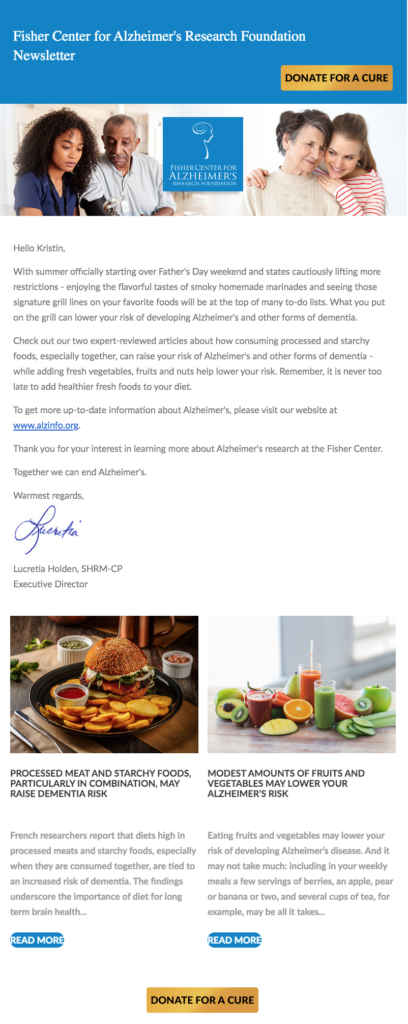
Fisher Center for Alzheimer's Research Foundation grew it’s list 500%

The Fisher Center for Alzheimer's Research Foundation is a non-profit that communicates with donors and subscribers through email to share news of medical breakthroughs and raise funds for research to find a cure for Alzheimer’s Disease.

Tagging and segmenting their audience is essential so they can provide the most relevant communications.

"The subscriber management features in AWeber are huge for us. In the past, I couldn't tag people we already had on our list. Now I can. I used it last week to tag donors with the year of their donations."

-Jerry Louis, Web Developer & Graphic Designer

The Fisher Center for Alzheimer Research

Using AWeber's solution, the foundation experienced a 500% increase in subscribers on its email list.

Fable and Folly Productions

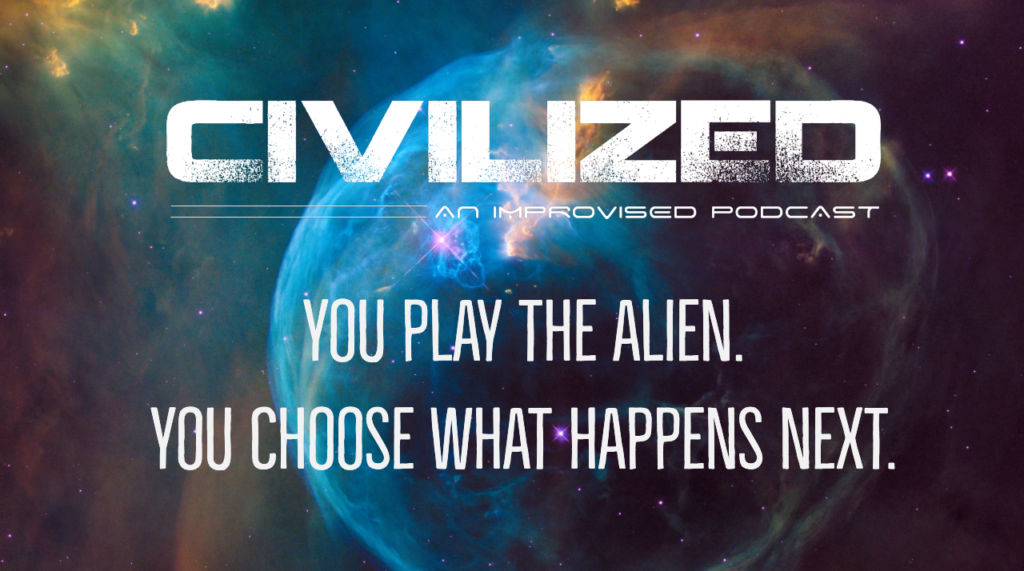
Fiction audio podcast producer Fable & Folly used tags and custom segments to send personalized podcast episodes with different plot twists. Based on subscribers’ clicks, they had the power to create their own story.

Landing page for Civilized Podcast

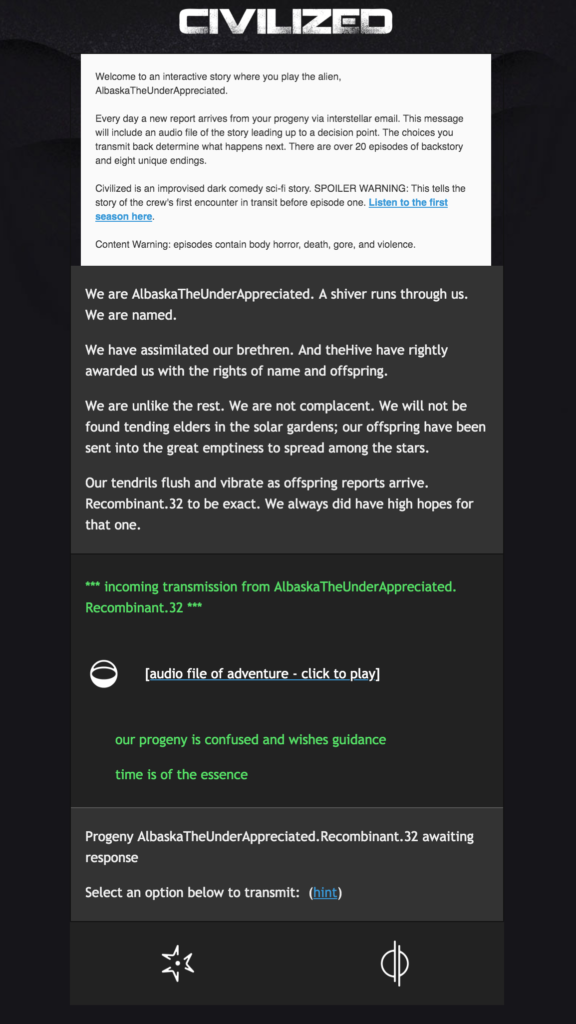
"The automated Campaign feature, when combined with automations and tags, allows our email subscribers to play a role as an antagonist in the story using meta tags," says Producer Sean Howard.

The biggest challenge for most podcasters is getting attention. More players with big budgets are entering the space, so independent producers need the best tools to build an audience.

Civilized email

AWeber's email marketing platform allows Fable and Folly to stand out and to connect with their listeners. But not all email providers are created equal. Creating the interactive experience required Fable and Folly to move from Mailchimp to AWeber to accommodate their need for trigger-based automations.

"Choosing to work with AWeber was a no-brainer. Their platform allowed us to weave 23 fully-produced minisodes into an amazing interactive experience. The move to AWeber was seamless, and AWeber's platform helped combine audio, graphic design, and written media to bring Fable and Folly's storytelling to a whole new level," said producer Sean Howard.

No matter what you do, you can use tags and custom segmentation to fit your needs.

Depending on your business, there are many different ways you can use tags to trigger automated campaigns or group subscribers together for more targeted content.

Content Creator

If you have multiple products or pieces of content, tag the subscriber based on the page they visited or the sign up form they filled out. The tag will then automate campaigns to send them relevant product information or content.

https://ift.tt/2CDlaBb
  1. Go to the element that you want to automate (landing page, sign up form, web page.)
  2. Enter the tag you want assigned when someone visits that element.
  3. For prior visitors, you can add the tag manually or through a bulk import.
  4. Go to the campaign you want to automate.
  5. Click "Replace Trigger" and enter the tag you want applied.
  6. Enter the tag.
  7. Click save and exit.

Selling your products online

Assign subscribers a tag based on their purchase or an abandoned cart. Automated campaigns can easily be set up to send relevant content that your audience will find engaging when a tag is applied. Or, start personalizing with one of AWeber’s pre-built campaigns.

https://ift.tt/32n7LIk
  1. Click the integration tab on AWeber's navigation bar.
  2. If you have the Shopify integration, go to the Cart Abandonment section, select Advanced Features and enter the product, list and tags you want to add. Then click the green "Add Automations" button. Note: Each ecommerce integration has slightly different options for this step. Visit AWeber Knowledge Base for other ecommerce integrations.
  3. Go to AWeber's Campaign Marketplace to copy the share code for the pre-built ecommerce campaign.
  4. Go to Campaigns and click the green "Create a Campaign " button and select the "Import a Campaign" option.
  5. Enter the code you copied from AWeber's Campaign Marketplace and click the blue "Import" button.
  6. Name your campaign and click the green "Create" button.
  7. Click on the campaign to customize the email and add or update any tags.
  8. Then activate your campaign.

Non-profits and fund-raising

Keep your subscriber list current by adding tags when a new or existing subscriber donates. The tag allows you to add a personal touch in your email, thanking them for their recent donation and serve as a reminder when you need to reach out to them for a donation the following year.

https://ift.tt/2OqVgD4
  1. You can either add tags to your subscribers manually or through bulk update on import if you have more than one subscriber to update.
  2. To update manually, go to your subscriber tab
  3. Go to the subscriber you want to update and click on their name
  4. Add or update the tags in the "Tags" field.

Ready to grow your business?

Whether you're starting a new business, launching a passion project, need to grow your audience, or you run an established e-commerce business, AWeber provides a powerfully-simple email marketing solution for any small business.

AWeber's email marketing platform includes unlimited landing pages with every plan, unlimited emails, email automation, sign up forms, and email analytics.

Start for free and quickly grow your business with powerfully-simple email marketing from AWeber.

Sign up for AWeber Free today! 

The post How Creating Custom Segments Can Help You Get The Right Content to The Right People appeared first on Email Marketing Tips.


from Email Marketing Tips https://ift.tt/2OtB17S

Tuesday, 14 July 2020

Introducing AWeber Free!

Introducing AWeber Free

Our mission is simple: to deliver powerfully-simple email marketing tools to help small business owners and entrepreneurs — like you — grow your business.

That’s why we’re excited to introduce AWeber Free — our completely free email marketing and landing pages plan!

If you’re just getting started with your small business or kicking off a passion project, AWeber Free is designed to give you everything you need to start building your audience today.

Watch the video below to hear about what you’ll get with AWeber Free. 

https://ift.tt/2C0zxj6
Introducing AWeber Free

What’s included with AWeber Free?

AWeber Free gives you everything you need to create amazing looking emails and landing pages, automate your email marketing, and integrate with other business systems.  

Here’s everything you can do with AWeber Free:

  • Grow an email list. Use AWeber’s sign up forms to grow your list. You can send 3,000 emails per month to 500 subscribers on AWeber’s free plan.
  • Create and send beautiful newsletters. Access all of AWeber’s amazing content creation tools — like the drag-and-drop email builder, Smart Designer, hundreds of email templates, library of professional images, and more — to send newsletters your audience will love. Plus, you’ll be able to automate your email campaigns, saving you time and energy.
  • Build unlimited landing pages. Landing pages are a great tool to help you grow your list. Use any of our pre-built landing page templates to get started.
  • Connect the tools you use every day. Access AWeber’s integration library and connect with the tools you use everyday to make email marketing seamless. 
  • Ask us anything, anytime: Ask our award-winning customer solutions team any question by phone, chat and email. They’re available 24 hours a day, 7 days a week to help you succeed with email marketing.
  • Migrate to AWeber for free. If you’re currently using another email service provider and want to move your content over to AWeber Free (or our Pro plan), we’ll do that fast and at no cost to you.

With AWeber Free, you’ll never have to worry about time running out on a free trial. Plus, you can start a free account without ever having to enter your credit card information. 

Why is AWeber adding a free plan?

The world is different than it was just a few short months ago. The decision to add AWeber Free comes as many small businesses continue to face challenges posed by COVID-19.  

According to the U.S. Chamber of Commerce’s Small Business Coronavirus Impact Poll, 71% of small business owners are concerned about financial hardships due to prolonged closures, while 67% are concerned about low business demand.  

We knew we could play a part to help small business owners overcome these challenges. With AWeber Free, our hope is to remove the cost barrier to entry for small businesses who need email marketing and landing pages, but just don’t have the financial means to access it yet. 

We understand email marketing is an important part of your future business growth. 79% of small businesses say email marketing is important to their business strategy. That’s why we’re making it even easier to give you the tools you need to build relationships with your audience and grow your business. 

Ready to get started?

AWeber Free delivers powerfully-simple, industry-leading features at no cost to you. Start growing your business with email marketing for free today. 

The post Introducing AWeber Free! appeared first on Email Marketing Tips.


from Email Marketing Tips https://ift.tt/3fukRaa

Monday, 13 July 2020

How to Promote Your Landing Page and Grow Your Email List

How to Promote Your Landing Page

You know that an awesome landing page is the first step to growing your list, selling more, and building relationships with your audience. 

So, you built one. You took time to write convincing landing page copy. You’re ready to send your new subscribers value-packed emails. But there’s one problem.

How do you actually get people to your landing page to sign up?

That’s why we asked three experts to share how they drive traffic to their landing pages, and they shared some of the best strategies to help you begin promoting your own landing page. Read on to learn what they had to say. 

Social media is a great way to promote your landing page — as long as you’ve built credibility first.

Sam Flynn, Social Media Trainer & Speaker, Managing Director, Planet Social Media

Social media is a perfect driver of traffic to your landing page.

The first step is to make sure you are clear on who your social media audience is. Once you have a good idea, think about what would drive them to want to go to your landing page. Is there a lead magnet that is highly relevant ? And, how can you get this across to them?

In terms of your call-to-action (CTA), you will need more than a simple “click here to get x.” Be more descriptive of the benefits behind this particular lead magnet. Give them value in the post itself, such as one of the points covered on your lead magnet, then direct them to your landing page for more.

You could also use video as part of your strategy, sharing a short video elaborating on one point covered in your lead magnet, then directing them to your lead magnet to get the remaining points. If you are speaking to a camera, be sure to include subtitles, for accessibility for all and to cater for those who will listen without audio.

Finally, make sure you build up your credibility with your audience by sharing a range of posts, especially those that demonstrate your expertise. They’ll be far more likely to click through to your landing page if they think they are going to get results from doing so!

When done right, Search Engine Optimization (SEO) is the best way to drive traffic to your landing page.

Sean Tinney, Demand Generation Manager, AWeber

The most highly engaged, highest converting customers come from SEO, in my experience.  These are potential customers who are actively searching for a specific product or service. But in order for SEO to be effective, you need to do your research and add keywords to your landing page that provide the answer to what people are searching for.

Here at AWeber, we are providing marketing services to help our customers grow their business. So when I build a landing page using our AWeber landing page builder, I make sure I’m using keywords that potential customers might be searching for. 

The more targeted or specific your keywords, the greater the likelihood of success. Very popular terms and keywords tend to be highly competitive, so search terms that are more specific tend to be easier to rank for.

Measure, track results, and adjust course.

Cathy McPhillips, VP of Marketing at Content Marketing Institute 

We promote our landing pages a number of ways: blog post calls-to-action (CTAs), banner ads on our website, social media, email promotions, and through our webinar speakers and Content Marketing Institute team members. Each of these tactics has a sourced URL so we’re able to evaluate the effectiveness and the timing promotions. 

For example, if we’re posting on social media four weeks before a webinar, but 90% of our webinar signups through social media happen 28 hours before the event, then we shouldn’t be posting on social media so early. We also are able to see our key influencers which helps us fine tune our distribution strategy.

We also use different copy for each of our promotions to the landing page, because this page or webinar will appeal to our personas in different ways. We have found that pulling data, discussing key takeaways, or asking questions that the landing page will answer are the best ways to engage our customers and to get them to take that next step toward conversion.

Build your own landing page today.

AWeber’s Landing Page Builder makes creating a landing page for your business easy. Get started with AWeber Free to start building your landing page and growing your list today. 

The post How to Promote Your Landing Page and Grow Your Email List appeared first on Email Marketing Tips.


from Email Marketing Tips https://ift.tt/3ennGZv

Wednesday, 8 July 2020

A Flexible Publishing Platform Allowed this Author to Keep Control

This is True author Randy Cassingham

This is True, or TRUE — as founder Randy Casingham calls his company — is an email newsletter that uses "weird news" as a vehicle to explore the human condition in an entertaining way. 

TRUE's mission is to provoke more thinking in the world. Each issue contains stories of people who didn't think, sometimes with hilarious results, capped by a brief comment on each story. It's biting social commentary that's "about" the human condition, but designed to be entertaining so it's fun to read.

People are starving for an intelligent look at what's going on, rather than the doom or denial that seems to dominate the major news outlets," Cassingham says.

But creating good content alone is not enough —  you also need to figure out how to get paid for it. Cassingham actually turned down two syndication contracts to put TRUE into newspapers because he thought the future was online, and newspapers would suffer in the long run. 

He decided to go the self-publishing route and identified a publishing platform with all the tools he needed for both publishing and promotion: email.

Content creators require options beyond a blog platform. "It is very hard to monetize a blog. Creators need tools that can provide a gateway to reach paying customers. I am very grateful that AWeber provides a platform to actually help creators make money without depending on Google, or advertising in general," Cassingham says.

Taking great content and converting subscribers from free content to paid premium subscriptions is an art that TRUE has perfected. Last week was the 26th anniversary of the first newsletter he ever sent — in fact, he’s gone 1,359 weeks without ever missing an issue.

Treat customers the way you want to be treated

Maintaining a strong relationship with readers has been the backbone of TRUE's business. With average open rates above 70%, it’s clear subscribers can't get enough of TRUE's unique content. 

From the very first communication, Cassingham clearly lays out what subscribers will receive using his unique style of humor. And every correspondence includes a link to upgrade to the premium subscription to enable conversion. 

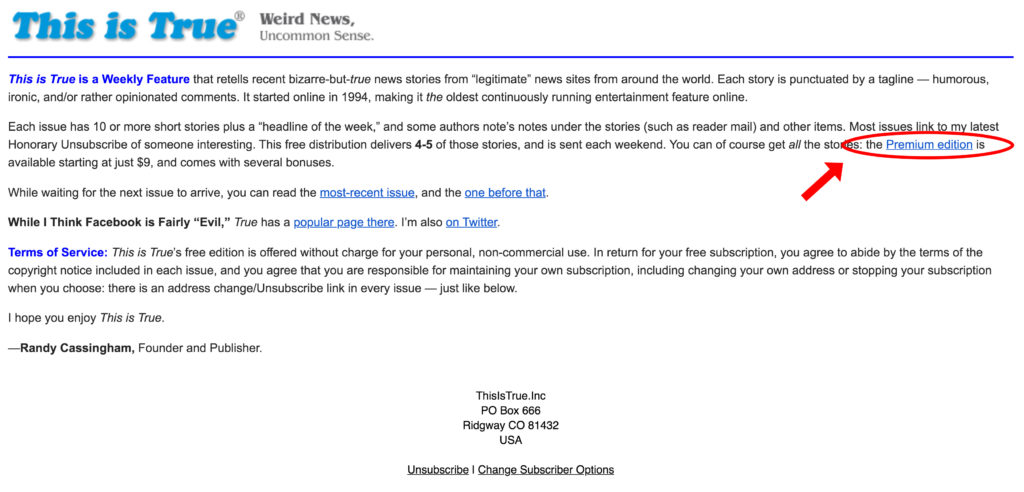
TRUE’s welcome email:

Example of subscription sign up notification and welcome email.

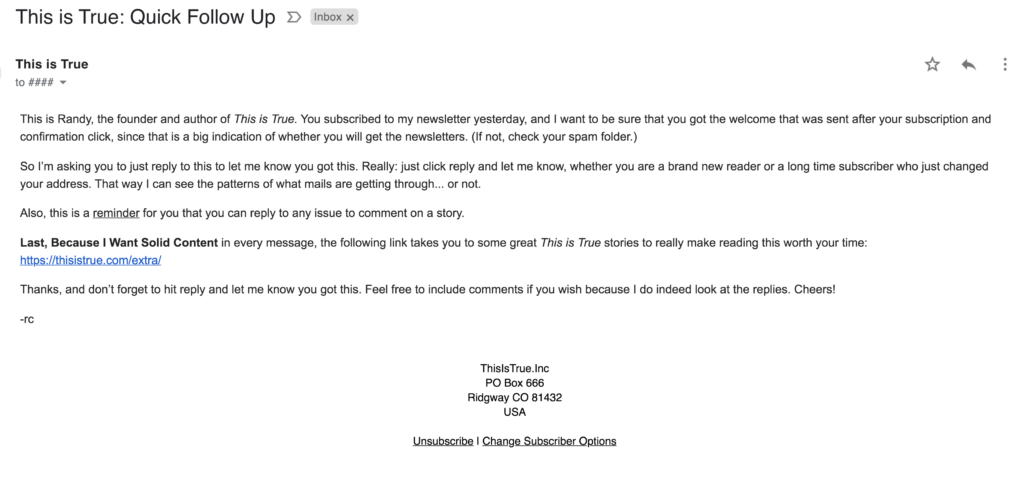
He also sends a follow-up email to help identify if the reader is a brand new reader or a long term subscriber. Because Cassingham wants every email to provide value, he includes a link for extra content as a ‘thank you’ for opening his email. 

TRUE’S follow up email:

Example of This is True follow up email.

How TRUE uses AWeber’s Blog Broadcasts

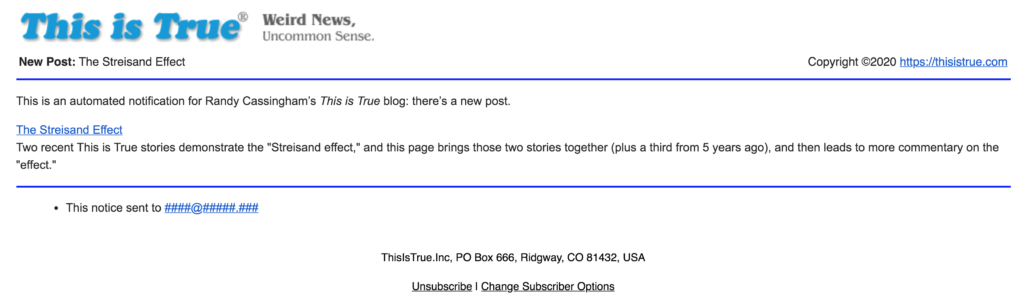
AWeber’s Blog Broadcast feature allows Cassingham to send customized notifications to readers when he posts a blog entry.

Example of This is True new blog post notification.

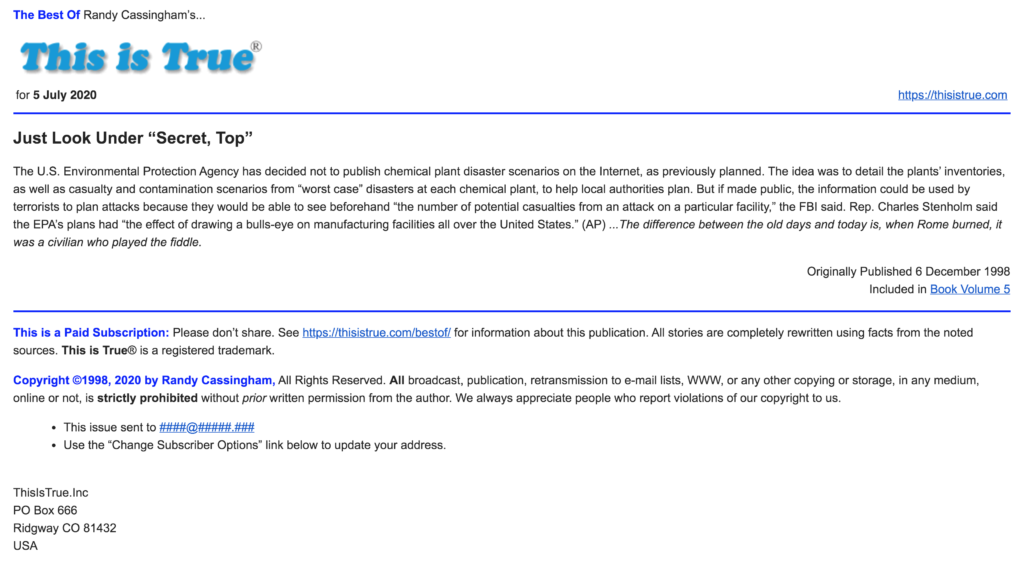
Cassingham takes it a step farther with AWeber's Blog Broadcast (automatic RSS to an email list). “It is more powerful than most people realize," Cassingham says. "It's not just to notify readers of new blog posts. I use it for a special paid list. My server drops a 'Best Of' archive story to a specific feed URL, and AWeber picks it up and sends it out early each morning. The subscribers love it, and it's totally automated for me."

Example of Best of This is True daily premium email.

AWeber's Blog Broadcast pulls content from a blog and reformats it into an email newsletter template to share with subscribers.


Step-by-step on setting up your Blog Broadcast

1. Under the Messages tab, select Blog Broadcasts.

2. Then, click the "Create A Blog Broadcast" button.

3. Enter your RSS feed URL for your blog in that first field.

4. Select the template you'd like to use, click on the Load Template button.

5. Next, you'll need to schedule when your broadcasts will be sent out.

6. Then click "Save Blog Broadcast" at the bottom of the page. 

Create income by having subscribers upgrade to paid content 

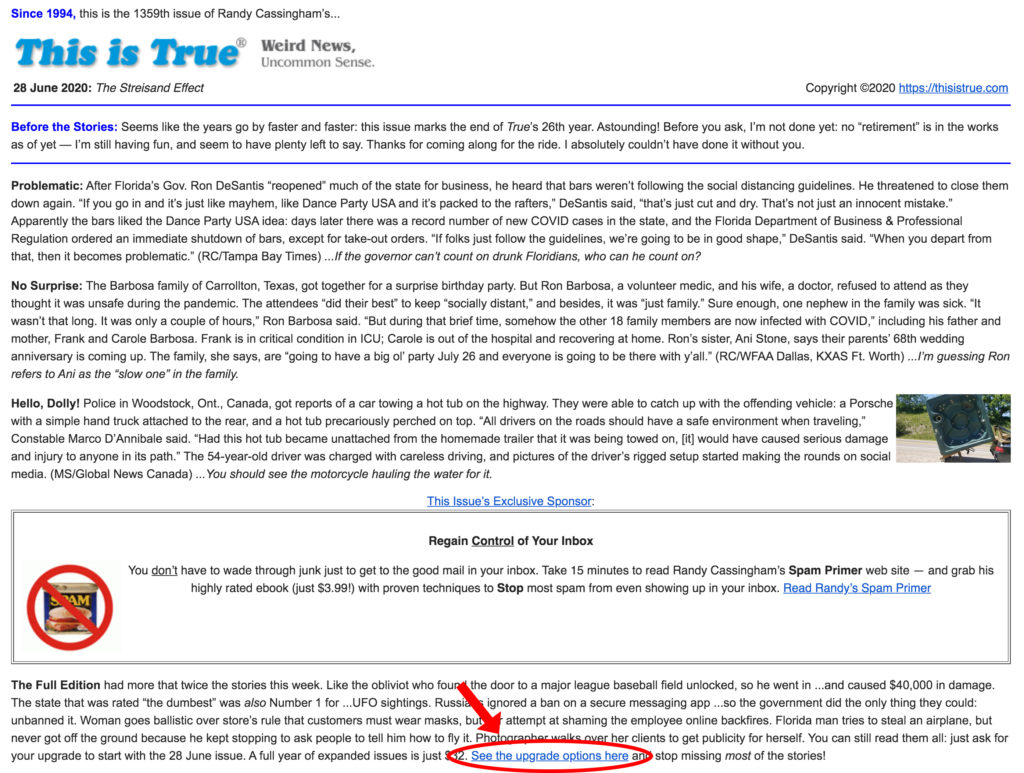
TRUE's primary source of income is subscription upgrades from the free content. Premium upgrades are Cassingham's "bread and butter," so every free newsletter has a pitch to upgrade to the paid version. 

Example of This is True free email with a link to upgrade to the premium subscription.

How email gives TRUE the freedom to do what he loves

TRUE is the oldest entertainment feature on the internet, running weekly for more than 26 years. TRUE started June 26, 1994 — and has never missed sending out a weekly issue. It is older than Google, Amazon, and eBay.

 "While I haven't gotten 'rich' from it," Cassingham says, "I have something that many rich people don't have: the freedom to live exactly where I want, work and 'play' pretty much every day, and have the time to give back to my community as a volunteer medic. I carry a pager and can dash off to help others get through the worst day of their lives. That's extremely fulfilling. One of the big reasons I can do it all is AWeber’s automated tools do so much of the tedious work for me."

Ready to grow your business?

Whether you're starting a new business, need to grow your audience, or you run an established e-commerce business, AWeber provides a powerfully-simple email marketing solution for any small business.

AWeber's email marketing platform includes unlimited landing pages with every plan, unlimited emails, email automation, sign up forms, and email analytics.

Start for free and quickly grow your business with powerfully-simple email marketing from AWeber.

Sign up for AWeber Free today! 

The post A Flexible Publishing Platform Allowed this Author to Keep Control appeared first on Email Marketing Tips.


from Email Marketing Tips https://ift.tt/3f6FyJb

Tuesday, 7 July 2020

8 New Email Templates to Help You Grow Your Business

8 new email templates to grow your business

A good subject line gets your audience to open your email, but a well-designed email keeps the reader engaged — leading to higher click-through rates, better engagement, and increased sales. 

Email design can make or break your ability to connect with your audience. But most small businesses don’t have dedicated designers and don't have the time to create a library of email templates and test which one resonates best with their customers.  

AWeber's email designer, Jeni McGuigan, regularly updates and adds new email templates to the free template gallery so users can easily personalize a few items and make the email template their own.

"When I design an email template, it is not for a single client. I am creating a template for several businesses. It needs to be flexible, so they can easily do what they want with it by simply adding text, uploading their logo, and adjusting the color to match their branding," says McGuigan.

But how do you know which email template is right for your business?

Each template in AWeber’s gallery has a specific purpose. Explore the 8 new template options below to pick which is right for you and your business. 

Email Templates for real estate to showcase with ease

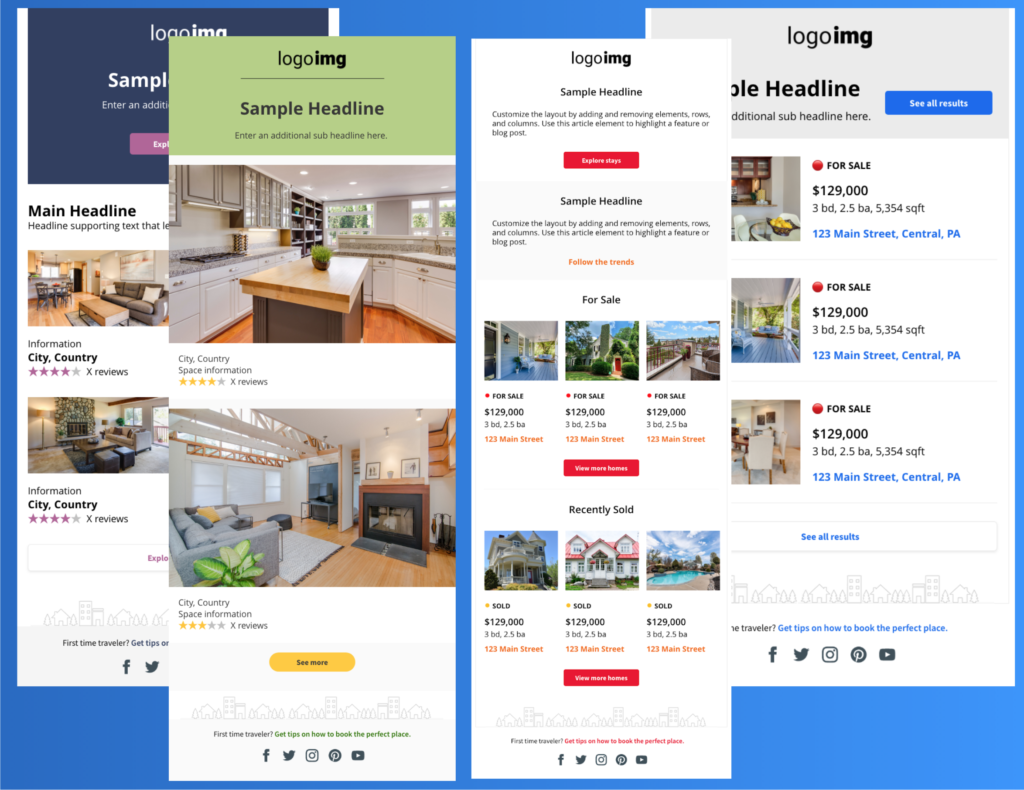
The design options in the Real Estate template were inspired by some of the leading businesses in the real estate industry. Each template is a little different, but creates a great foundation to help real estate agents promote homes on the market.

To use any of these templates, all a real estate agent needs to do is:

  1. Personalize the branding with their logo and color preferences. 
  2. Upload real estate images and property details. 
  3. Send the email to their prospective clients and customers. 
Examples Real Estate email templates
Want to use this template? Check out the Real Estate template in AWeber’s template gallery. 

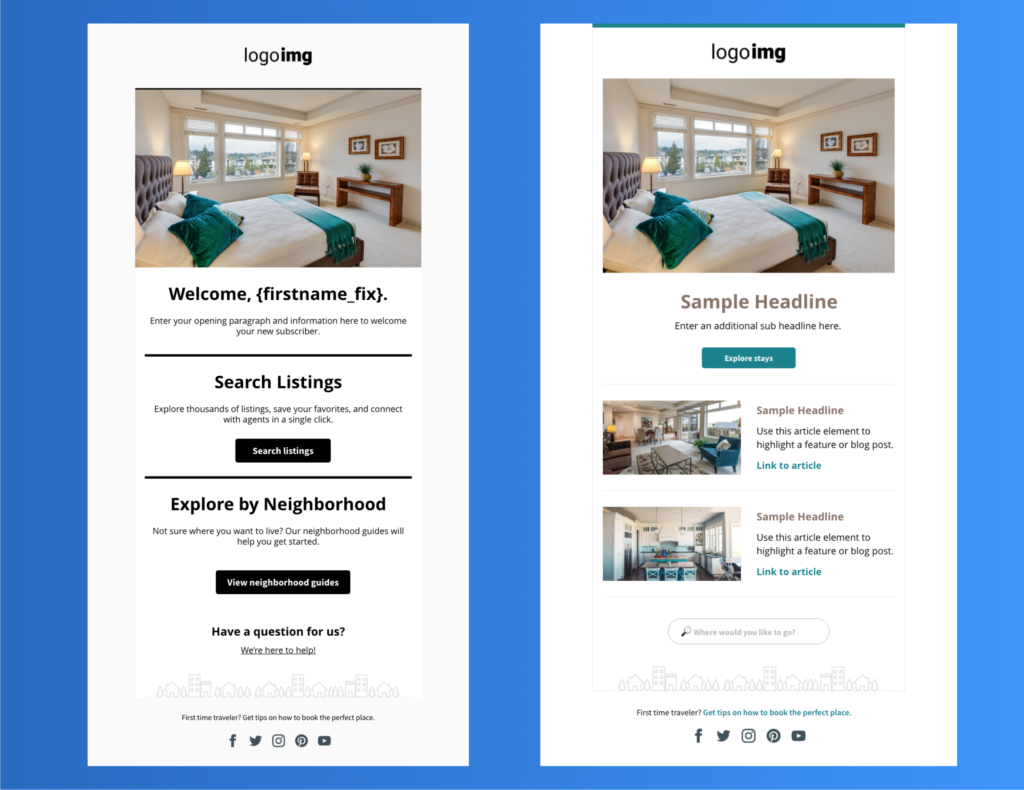
To add a splash of color, simply adjust the color of your divider or button colors in the drag-and-drop email editor. 

Two email template examples for Real Estate
Want to use this template? Check out the Real Estate template in AWeber’s template gallery. 

Show your appreciation with a thank you email template 

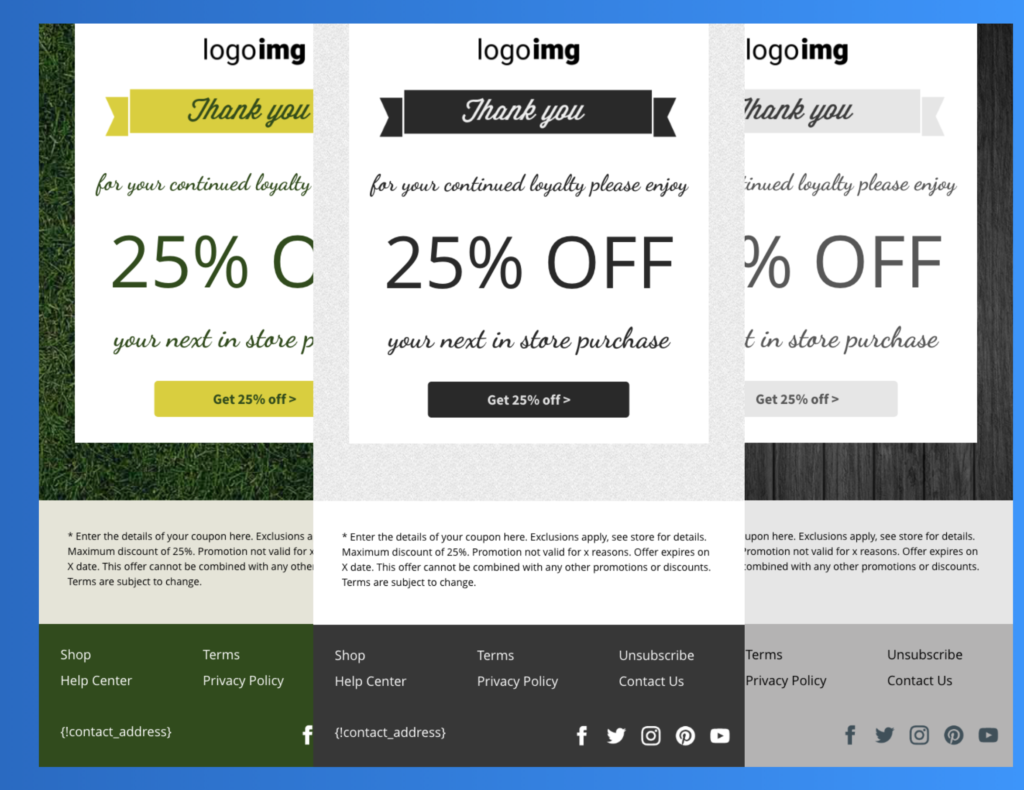
Who doesn't love a thank you email with a discount on your next purchase?  With the Nelson template, all you need to do is pick your color preference, add your logo, and the details of your discount, and you are ready to send it to your loyal customers. 

Examples of Thank You templates
Use the Nelson template in AWeber’s template gallery. 

Everything a blogger needs

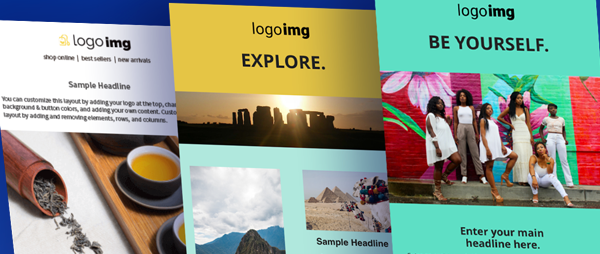
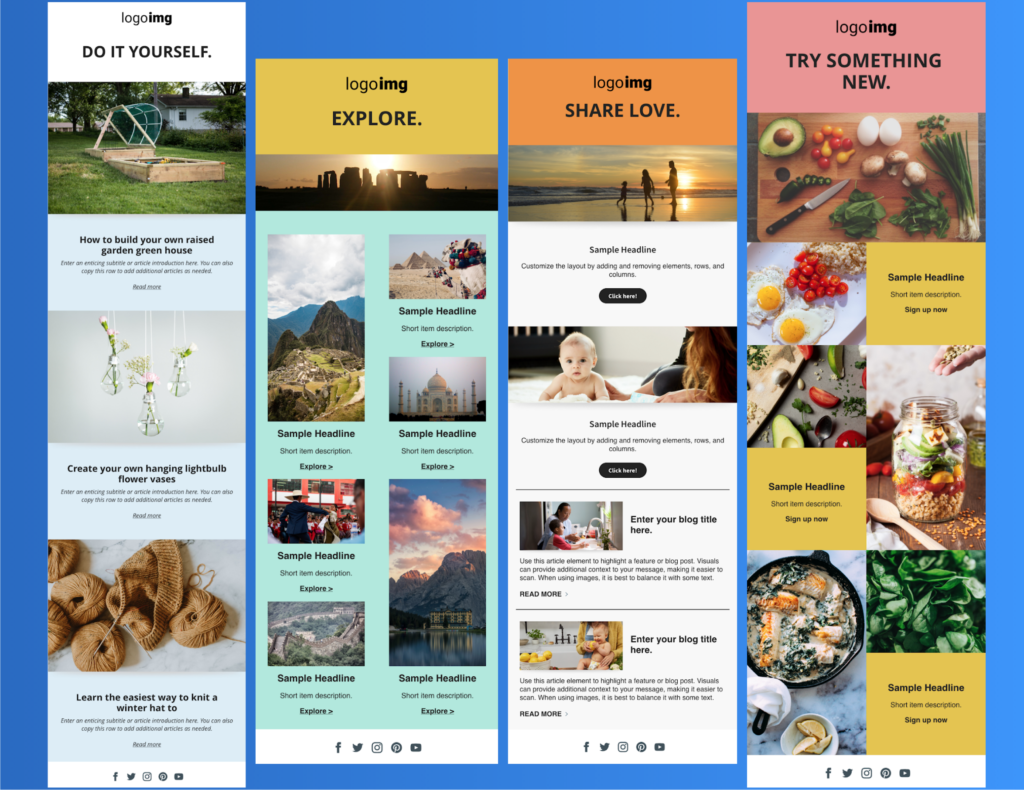
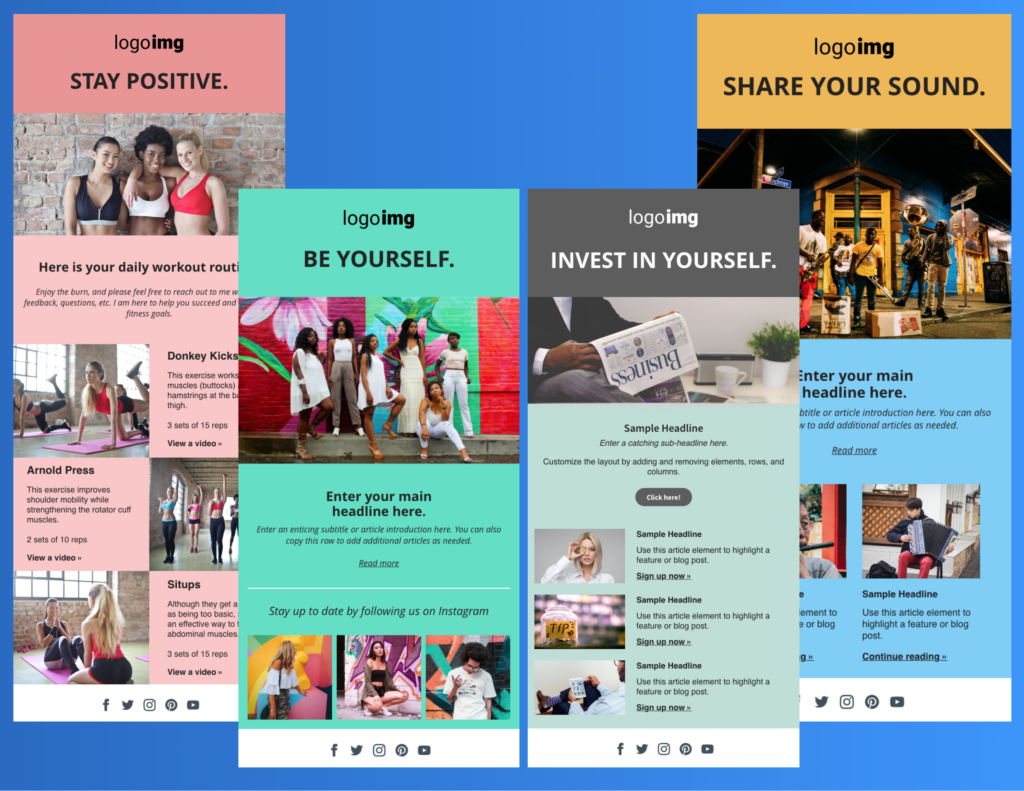
Popular blogging categories — including DIY, Travel, Parenting, Food, Fitness, Fashion, Finance, and Music — influenced the design of the Harold templates.  

Each of the row colors can be entirely customized. You can use the stock image in each template, upload a different image from AWeber's image gallery, or upload your own images.

Example of Blogger email templates

Additional examples of email templates for a blogger
Send visual emails using the Harold template in AWeber’s template gallery. 

Modernize your email design

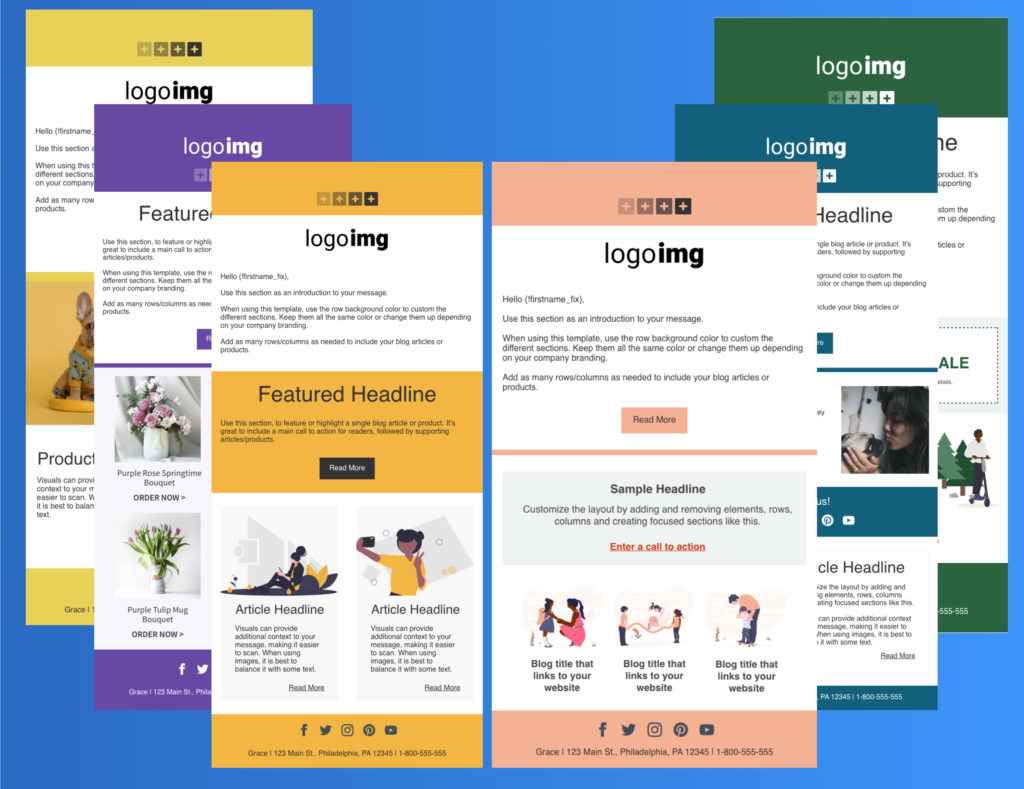
Are you looking to try a new layout?  Consider one of the Grace templates. Each template has a slightly different layout, and the color rows can all be completely customized. Just add your logo and content, and your email template has an instant refresh.

Six examples of a new, modern email template
Try one of the Grace templates in AWeber’s template gallery today.

Stand out with bold patterns

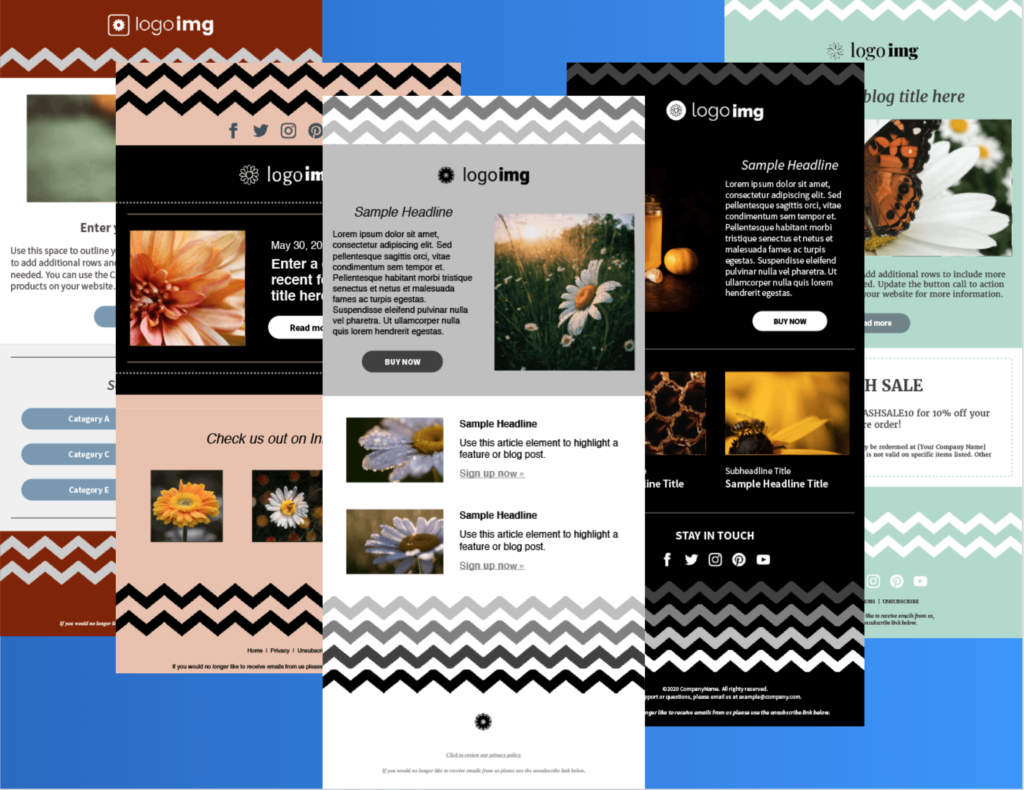
If you like clean designs and geometric zig-zag images, you should check out the Daisy templates. On the black & white versions, the zig-zag is inverted — so when you change the row color, the color of the zig-zags changes.

Examples of the Daisy template with bold zig-zag patterns
Add eye-catching design to your emails with the Daisy templates in AWeber’s template gallery.

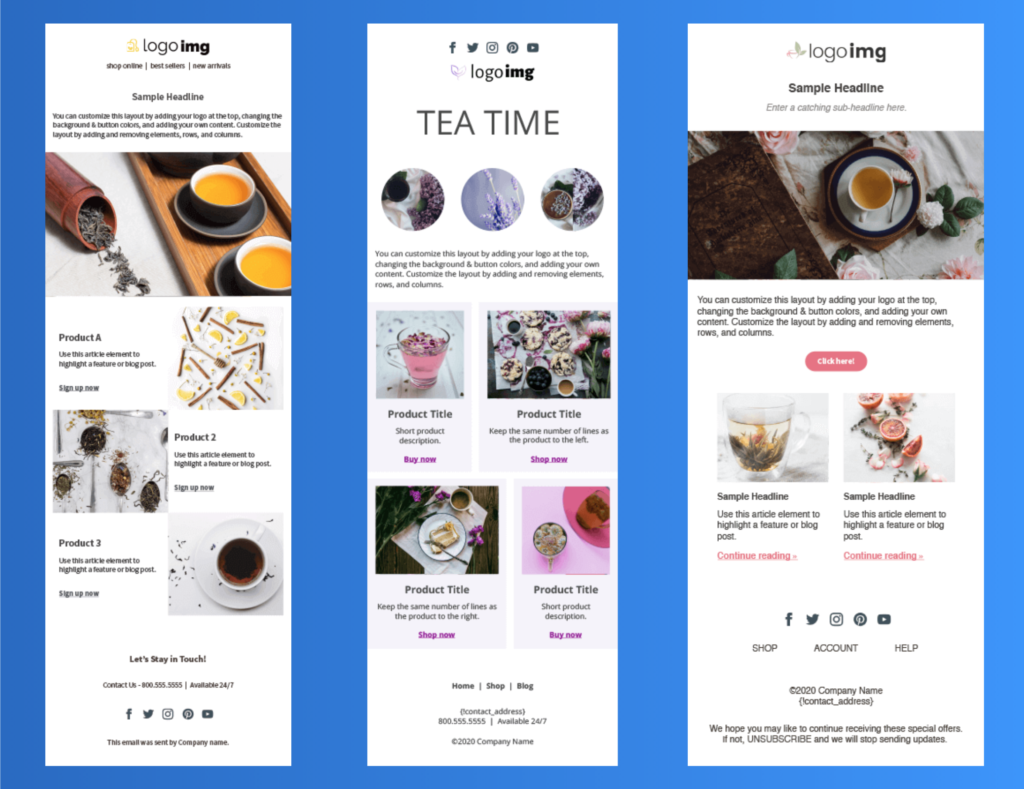
Sell more products

Want to sell products or drive people to your store? Consider the Tea Time templates — designed to highlight individual products. There are three different layouts, and you can easily add or change elements in AWeber's drag-and-drop email editor. 

Examples of the Tea Time email template to design to sell products.
Showcase your online or retail store with the Tea Time templates in AWeber’s template gallery. 

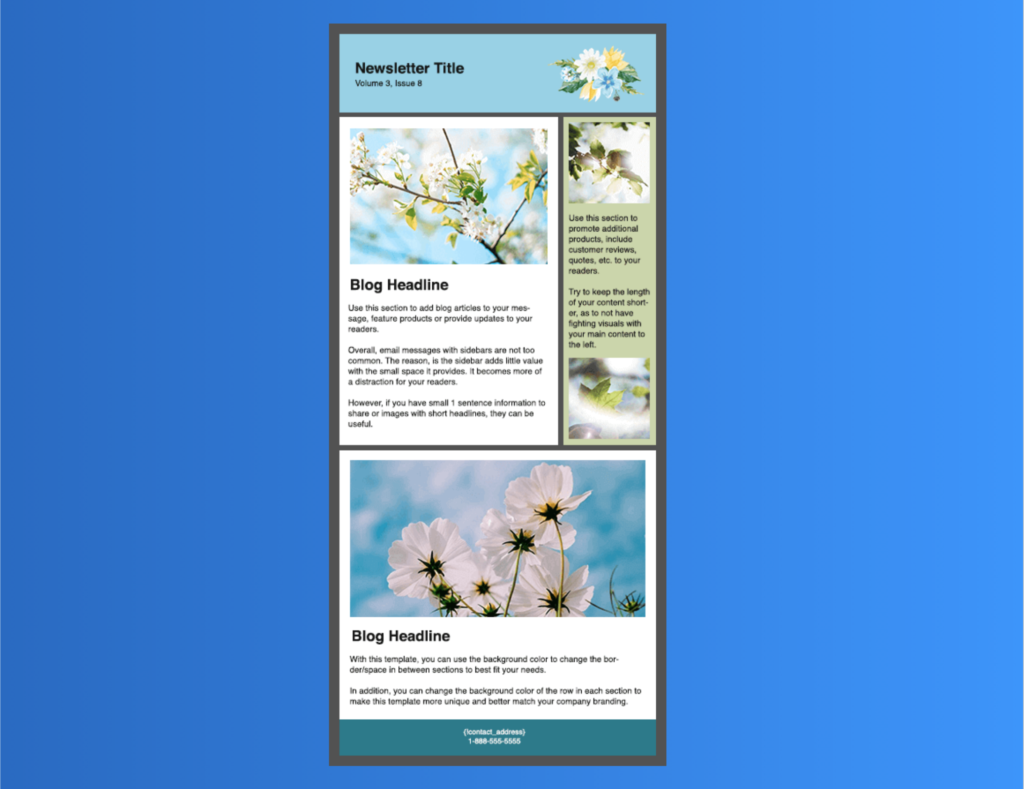
Highlight customer quotes or reviews in a new email newsletter template

If it is time to consider a new newsletter format, check out the It’s Spring template. It even includes a sidebar box that is perfect for a short testimonial, quote, or review. 

When you use a sidebar box, keep the content short, so it does not distract from your lead content or blog post.  

Example of Its Spring template to highlight customer quotes or reviews.
Showcase your customers’ feedback in a sidebar box with the It’s Spring template in AWeber’s template gallery.

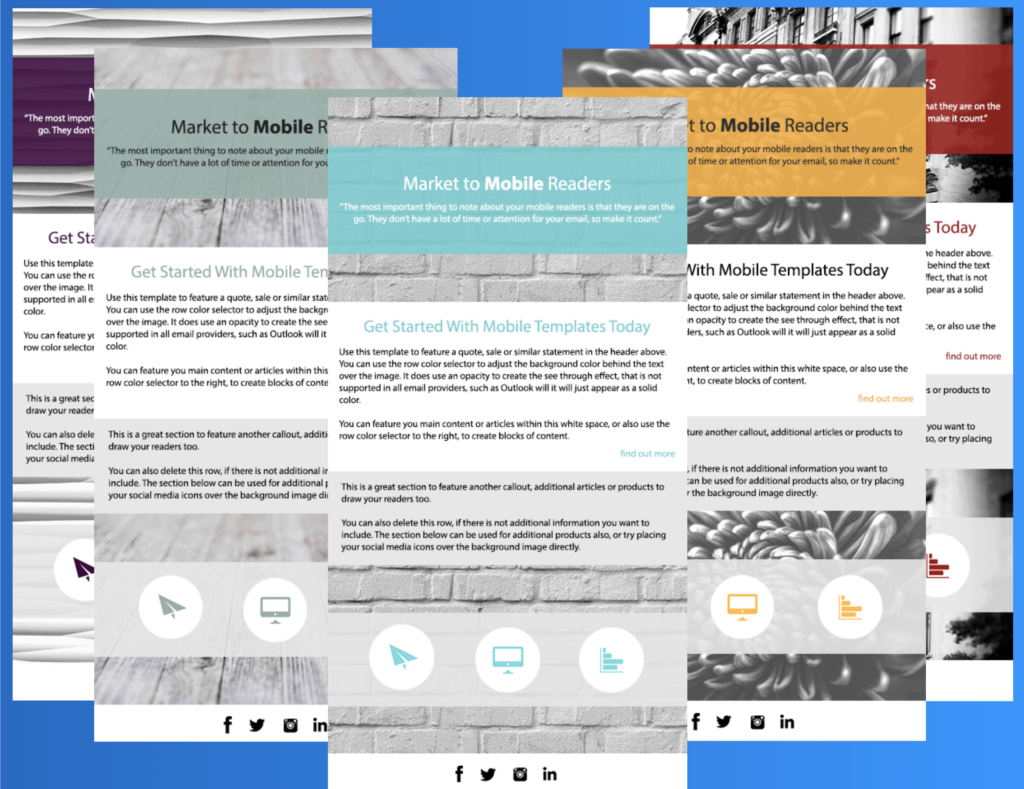
Bold headers

The Hector email template is a great option for your business if you're looking for bold headers. The background image color is removed to make the header stand out. It is a super easy and effective way to highlight a quote, statement, or sale. The row color can be adjusted to match your business's branding. 

Examples of Hector template highlighting bold headlines
Try the Hector template in the AWeber template gallery today. 

Ready to grow your business?

Whether you're starting a new business, need to grow your audience, or you run an established e-commerce business, AWeber provides a powerfully-simple email marketing solution for any small business.

AWeber's email marketing platform includes unlimited landing pages with every plan, unlimited emails, email automation, sign up forms, and email analytics.

Sign up today for your 30-day free trial. 

The post 8 New Email Templates to Help You Grow Your Business appeared first on Email Marketing Tips.


from Email Marketing Tips https://ift.tt/2O4R5g8