
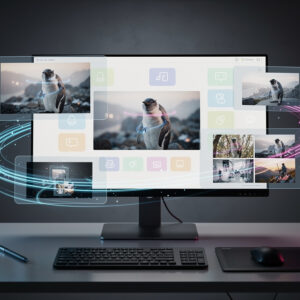
Photoshop’s AI Renaissance: How Intelligent Tools Are Redefining Digital Editing in 2025
In the ever-evolving realm of digital creativity, Adobe Photoshop has long stood as the cornerstone for professionals in graphic design, photography, and visual arts. As we close out 2025, the software’s integration of artificial intelligence has reached new heights, offering tools that not only streamline workflows but also push the boundaries of what’s possible in image manipulation. Drawing from recent updates, these AI enhancements are transforming how insiders approach projects, from rapid prototyping to intricate compositing. This deep dive explores the most impactful features, their practical applications, and the implications for industry practitioners.
At the heart of Photoshop’s latest advancements is the Generative Fill tool, which has evolved significantly since its introduction. Powered by Adobe’s Firefly AI model, it allows users to add, remove, or expand elements within images using simple text prompts. For instance, professionals can now seamlessly extend backgrounds or insert objects that blend naturally with existing compositions. According to a detailed guide from Elegant Themes, this feature has become indispensable for photographers needing to adjust compositions without reshooting.
Beyond Generative Fill, the introduction of Harmonize and Generative Upscale in the desktop version marks a pivotal shift. Harmonize intelligently matches colors and lighting across different image elements, ensuring cohesive results in composite work. Generative Upscale, on the other hand, enhances image resolution while preserving details, which is crucial for print professionals dealing with low-res assets. These tools, as highlighted in Adobe’s official release notes on their help site, are designed to save hours in post-production.
Elevating Precision with Conversational Editing
The integration of conversational editing represents another leap forward, allowing users to describe changes in natural language for AI to execute. This feature, rolled out in late 2025, enables phrases like “make the sky more dramatic” to trigger adjustments in exposure, contrast, and color grading. Industry insiders note that this reduces the learning curve for complex edits, making Photoshop more accessible to multidisciplinary teams. A recent analysis from ZDNET emphasizes how this tool democratizes high-level editing for non-experts.
Complementing these is the enhanced Neural Filters suite, which now includes advanced options like Style Transfer and Portrait Enhancer. Style Transfer applies artistic styles from reference images, ideal for concept artists iterating on visual themes. The Portrait Enhancer uses AI to refine facial features, smoothing skin and adjusting lighting with minimal manual input. As per a step-by-step tutorial in Creative Studios Derby, these filters are particularly valuable in fashion and advertising, where quick turnarounds are essential.
Moreover, Photoshop’s collaboration with third-party AI models expands creative possibilities. Users can now switch to models like Flux or Nano Banana for Generative Fill, each excelling in specific scenarios—Flux for realistic textures and Nano Banana for stylized outputs. This flexibility, detailed in an article from Digital Camera World, allows professionals to tailor AI assistance to project needs, from photorealistic renders to abstract designs.
Integration with Broader Ecosystems and Workflows
A groundbreaking development is Photoshop’s embedding within ChatGPT, announced in December 2025. This integration lets users edit images conversationally without leaving the chat interface, handling tasks like background removal or PDF modifications. No subscription is required for basic features, broadening access. CNET reports that this addresses common frustrations in AI editing, such as iterative refinements, by enabling real-time feedback loops.
This ChatGPT tie-in extends to Adobe Express and Acrobat, facilitating seamless workflows across apps. For example, a designer can generate an image in Photoshop via ChatGPT, then incorporate it into a PDF presentation. TechCrunch covered this rollout in depth, noting in their piece on TechCrunch how it empowers users to animate elements or modify documents through prompts, streamlining content creation for marketers and educators.
On the performance side, updates in Photoshop 2025 include AI-driven optimization for hardware acceleration, ensuring smoother operation on diverse devices. This is especially beneficial for remote teams using cloud-based workflows. The Photoshop Training Channel outlines how these enhancements reduce lag in large-scale projects, a boon for film and game industry professionals handling high-resolution assets.
Practical Tutorials and Real-World Applications
To harness these tools effectively, insiders recommend starting with tutorials that break down each feature. For Generative Fill, select an area, input a prompt, and let AI generate variations—refine with masks for precision. A comprehensive walkthrough from Aela.io demonstrates how this accelerates ideation in product design, where rapid mockups are key.
For conversational editing, integrate it into daily routines by combining it with layer management. Professionals in e-commerce photography use it to batch-process product images, adjusting lighting uniformly across sets. Lifehacker’s hands-on test, as shared in their article on Lifehacker, reveals that while initial results impress, iterative prompting yields professional-grade outcomes.
Industry sentiment, gleaned from posts on X, reflects excitement mixed with cautious optimism. Users praise the time savings but debate AI’s role in creativity, with some viewing it as a replacement for traditional skills. One viral thread highlighted how these tools could “flip the design industry,” echoing broader discussions on AI’s disruptive potential without confirming wholesale job displacement.
Ethical Considerations and Future Trajectories
As AI permeates Photoshop, ethical questions arise, particularly around authenticity and bias in generated content. Insiders must navigate copyright implications when using AI-trained on vast datasets. Adobe addresses this by emphasizing ethical AI development in Firefly, trained on licensed images. Google’s AI updates blog, in a post on Google’s blog, parallels this by discussing breakthroughs in responsible AI, offering a comparative view for Photoshop users.
Looking ahead, integrations like third-party models suggest a trend toward modular AI ecosystems. This could lead to specialized plugins for niches like medical imaging or architectural visualization. The Reddit community, in discussions on Reddit, debates opting for pre-AI versions, underscoring a divide between purists and adopters.
For insiders, mastering these tools involves balancing AI assistance with human ingenuity. Workshops and certifications are emerging to train on ethical usage, ensuring AI enhances rather than supplants creativity. As one X post noted, these features save “hundreds of hours,” allowing focus on conceptual work.
Case Studies from Industry Leaders
Real-world applications illuminate AI’s impact. In advertising, agencies use Generative Upscale to repurpose archival photos for high-definition campaigns, maintaining quality without original files. A case from the fashion sector, as per industry reports, shows Portrait Enhancer cutting retouching time by 70%, enabling faster seasonal lookbooks.
Film post-production benefits from Harmonize, syncing visual effects across frames seamlessly. VFX artists report improved efficiency in compositing CGI with live footage. Drawing from Google’s research breakthroughs detailed on their blog, similar AI advancements in image editing hint at cross-pollination between tech giants, potentially influencing future Photoshop updates.
Educators and trainers are incorporating these tools into curricula, teaching students to leverage AI for innovation. Online platforms offer courses that simulate professional scenarios, preparing the next generation for an AI-augmented field.
Navigating Challenges and Best Practices
Despite advantages, challenges persist, such as AI hallucinations where generated elements don’t align perfectly. Best practices include verifying outputs with manual tweaks and using reference images for guidance. Insiders recommend versioning files to track AI interventions, maintaining transparency in collaborative projects.
Hardware considerations are key; while cloud processing handles heavy lifts, local setups benefit from GPUs for real-time edits. Adobe’s updates optimize for this, but users should monitor system requirements.
Community feedback on X underscores the need for ongoing tutorials, with users sharing tips on optimizing prompts for better results. This collective knowledge base enriches the ecosystem, fostering innovation.
Strategic Implications for Professionals
For industry leaders, adopting these AI features strategically positions firms ahead of competitors. Integrating them into pipelines can reduce costs and accelerate deliverables, crucial in fast-paced sectors like social media content creation.
Looking to 2026, rumors suggest deeper AI personalization, perhaps predictive editing based on user history. This could revolutionize bespoke design services.
Ultimately, Photoshop’s AI evolution empowers creators to focus on vision over mechanics, heralding a new era of digital artistry where technology amplifies human potential. As tools mature, the line between creator and creation blurs, inviting endless possibilities.
from WebProNews https://ift.tt/oHYWOFj


No comments:
Post a Comment